How to edit Emails in Sngine?
If you want to edit emails in Sngine you can easily follow this tutorail 1- To
Table des matières

If you want to edit emails in Sngine you can easily follow this tutorail
1- To edit the “Form” part:
If you are not using SMTP Sngine will use the system email in this case that you easily edit from admin panel -> settings
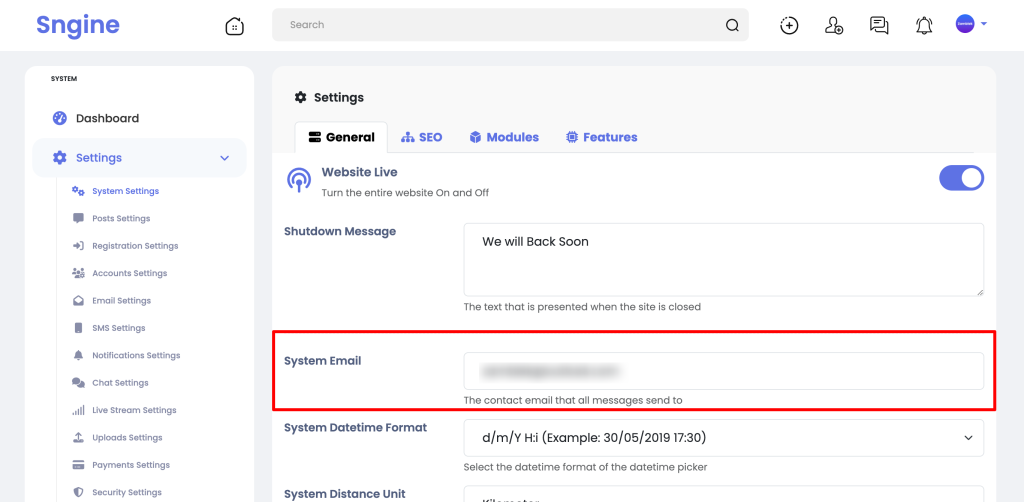
However you are using SMTP then you can manage the form part as you want, Check this tutorial to learn more:
2- To edit the Subject:
You can edit this from the
includes/class-user.php
By searching for this variable “$subject” like this:

3- Edit the Email Body:
You simply find all email templates inside this folder:
content/themes/default/templates/emails
And you will need to edit both the html & text files at once per email.
That’s it.
Happy Sngine 🙂
Buy Sngine or Extend your support: https://bit.ly/BuySngine
Articles connexes
Premiers pas, Conseils et tutoriels
How Sngine Helps Combat Spam
 Zamblek
3 min de lecture
Zamblek
3 min de lecture
Premiers pas, Conseils et tutoriels
How To Set CORS Policy For Google Cloud Bucket?
Zamblek
1 min de lecture
Premiers pas, Conseils et tutoriels
New Google Playstore’s 12 Testers Policy for Production Release
Zamblek
1 min de lecture