How To Set CORS Policy For Google Cloud Bucket?
To add CORS policy to your Google Cloud Storage Bucket you need to use your Cloud

To add CORS policy to your Google Cloud Storage Bucket you need to use your Cloud Terminal as you can see here:
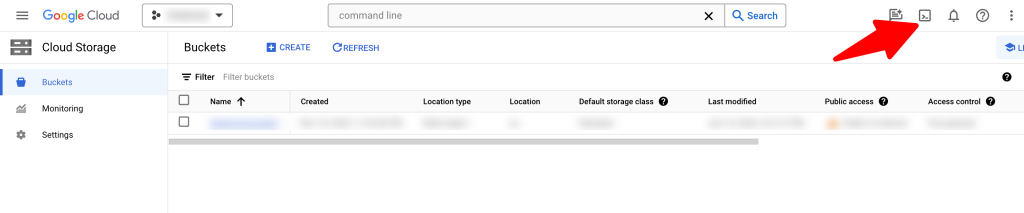
Once you enable and open the terminal you need to run the following command which will create CORS policy config file for your bucket first
echo '[{"origin": ["*"],"method": ["GET"],"responseHeader": ["Content-Type"],"maxAgeSeconds": 3600}]' > cors-config.json
Then you need to attache this config file to your bucket after changing your YOUR_BUCKET_NAME
gcloud storage buckets update gs://YOUR_BUCKET_NAME --cors-file=cors-config.json
After that you can confirm if config file attached to your bucket correctly or not by run this command:
gcloud storage buckets describe gs://YOUR_BUCKET_NAME --format="default(cors_config)"
That’s it.
Happy Sngine 🙂
Buy Sngine or Extend your support: https://bit.ly/BuySngine
Articles connexes
Premiers pas, Conseils et tutoriels
How Sngine Helps Combat Spam
 Zamblek
3 min de lecture
Zamblek
3 min de lecture
Premiers pas, Conseils et tutoriels
New Google Playstore’s 12 Testers Policy for Production Release
Zamblek
1 min de lecture
Premiers pas, Conseils et tutoriels
How to use Sngine inside iframe?
Zamblek
1 min de lecture