Change default og-image in Sngine
You can change it from admin panel -> designdisable the default and upload yours and click

You can change it from admin panel -> design
disable the default and upload yours and click save
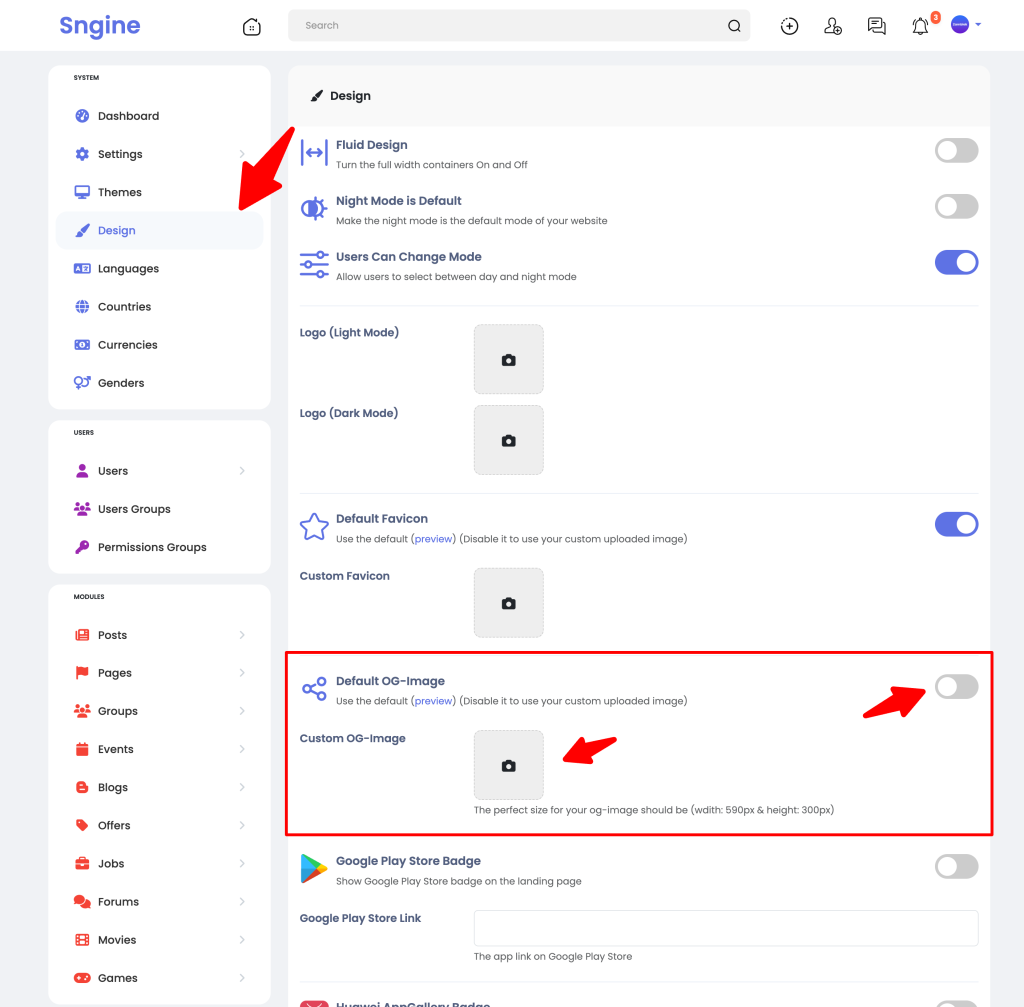
OK, I did but when share my website in Facebook still show Sngine default image?
First you can simply test it on your website, Sngine scraper not caching the og:image
Example we tested Sngine demo website on Sngine demo website:
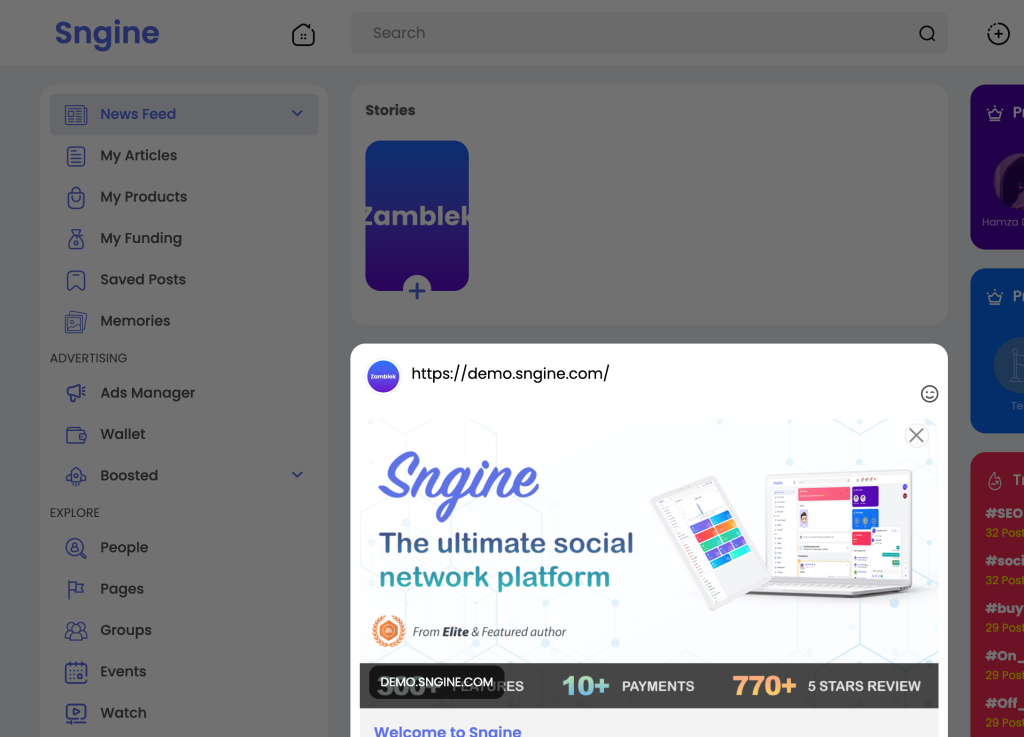
However for Facebook:
This is Facebook still caching the old image, you can use their own tool to change this:
https://developers.facebook.com/tools/debug/sharing
However for Twitter:
Twitter don’t provide debugging tool like Facebook but there is a workaround.
https://cards-dev.twitter.com/validator (Outdated)
However for Telegram:
Use Telegram's @WebpageBot.
Open Telegram and search for @WebpageBot, then send your website link to it
Then clicks on "Update with content"

Sngine related theme template file:
content/themes/default/templates/_head.tpl
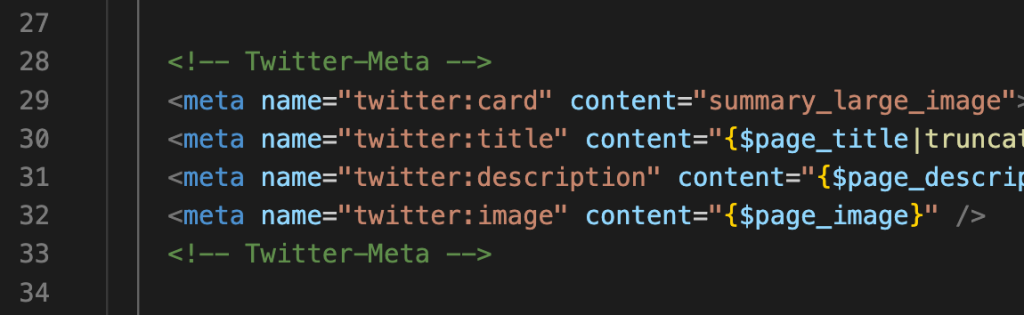
Change it to something like this:

That’s it.
Happy Sngine 🙂
Buy Sngine or Extend your support: https://bit.ly/BuySngine
Articles connexes
Premiers pas, Conseils et tutoriels
How Sngine Helps Combat Spam
 Zamblek
3 min de lecture
Zamblek
3 min de lecture
Premiers pas, Conseils et tutoriels
How To Set CORS Policy For Google Cloud Bucket?
Zamblek
1 min de lecture
Premiers pas, Conseils et tutoriels
New Google Playstore’s 12 Testers Policy for Production Release
Zamblek
1 min de lecture