How to change Sngine Time Zone?
Sngine not working on timezone base because we are using relative time as“2 hours ago” like

جدول المحتويات
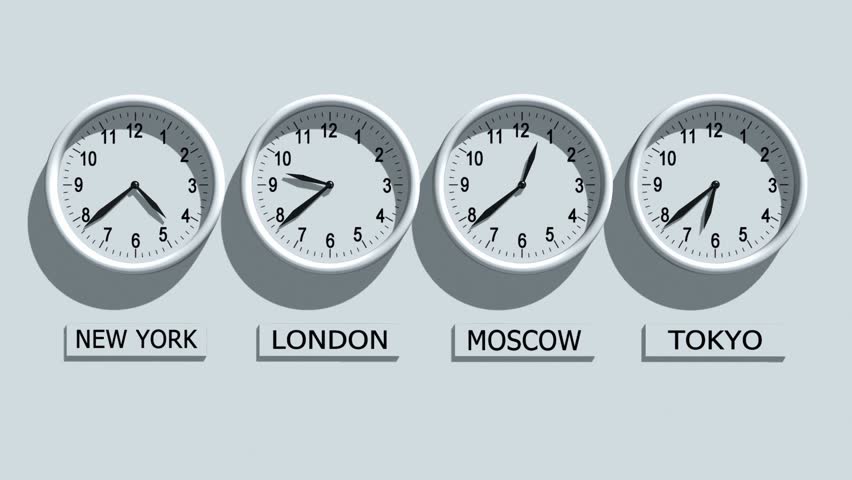
Most Sngine owners never need to change the time zone. Sngine already shows every date in the time zone of the person looking at it, so a member in Cairo and a member in New York both see the right time for where they are.
This post explains how that works, when you might still want a single time zone for everyone, and exactly which files to edit in Sngine v5.
How Sngine handles time
Sngine keeps all times in UTC on the server, and converts them in the browser:
PHP runs in UTC. In includes/functions-system.php:
function init_system_datetime()
{

  date_default_timezone_set('UTC');

  ...

}
MySQL runs in UTC for every connection. Same file, inside
init_db_connection():/* set db time to UTC */ $db->query("SET time_zone = '+0:00'");The Node.js chat server (if you use it) also works in UTC: sockets/node/libs/core/datetime.js and
timezone: 'Z'in sockets/node/libs/core/database.js.The browser converts each UTC time to the visitor's own clock before showing it ("2 hours ago", and the full date when you hover). This happens in includes/assets/js/core/core.js:
// run moment plugin function run_moment(scope) { var elements = (scope) ? $(scope).find(".js_moment") : $(".js_moment"); elements.each(function () { var _this = $(this); var time_utc = _this.data('time'); var locale = $('html').data('lang') || 'en-us'; var offset = moment().utcOffset(); var time = moment(time_utc, ["YYYY-MM-DD HH:mm:ss", "YYYY-MM-DD H:mm:ss", moment.ISO_8601]).add({ minutes: offset }).locale(locale); _this.text(time.fromNow()).attr('title', time.format("dddd, MMMM D, YYYY h:mm a")); }); }moment().utcOffset()is the visitor's offset from UTC in minutes. That one line is what makes Sngine show local times.
Do not change the server time zone
In older versions of Sngine, this tutorial told you to change the PHP time zone. Do not do that in Sngine v5. PHP, MySQL, the chat server and the browser all expect UTC. If you change only one of them:
Posts, comments and messages will show the wrong time (shifted twice).
Online status and "last seen" will break, because they compare saved times with the database clock.
Scheduled posts and scheduled blog articles will publish at the wrong time.
Everything already saved stays in UTC, so old and new content will not match.
Keep the server in UTC. If you want one time zone for everyone, change the browser side only, as shown below.
Show one time zone to everyone
Use this if your community lives in one country and you want everyone to see the same local time, for example Cairo time (UTC+2), whatever their device is set to.
Step 1: includes/assets/js/core/core.js
Find this line inside run_moment():
var offset = moment().utcOffset();and replace it with your offset from UTC in minutes:
var offset = 120; // UTC+2A few examples:
Time zone | Offset |
|---|---|
UTC+2 |
|
UTC+3 |
|
UTC+5:30 (India) |
|
UTC−5 (New York, winter) |
|
Your country uses daylight saving time? A fixed number will be one hour off for half the year. Use the time zone name instead, from the list of supported time zones:
var offset = (function (zone) {
var now = new Date();

  var p = {};

  new Intl.DateTimeFormat('en-US', { timeZone: zone, hourCycle: 'h23', year: 'numeric', month: 'numeric', day: 'numeric', hour: 'numeric', minute: 'numeric' }).formatToParts(now).forEach(function (x) { p[x.type] = x.value; });

  return (Date.UTC(p.year, p.month - 1, p.day, p.hour, p.minute) - Math.floor(now.getTime() / 60000) * 60000) / 60000;

})('Africa/Cairo');
This is the only change you need for posts, comments, notifications, chat, profiles and every other "time ago" label.
Step 2 (optional): stories and forums
Stories and the forum date headers use the same conversion in their own files. To keep them consistent, replace moment().utcOffset() with the same value in:
includes/assets/js/core/stories.js
includes/assets/js/core/forums.js
Step 3: clear the cache
Upload the edited files and reload the page. Sngine adds the file's modified time to the script URL, so browsers load the new version automatically. If you still see the old times, do a hard refresh (Ctrl + F5, or Cmd + Shift + R on Mac). You do not need to run npm run build; these files are not part of the theme build.
Good to know
Scheduling stays on the member's clock. When a member schedules a post or a blog article, the date picker uses their own device time and Sngine saves it in UTC. Leave this as it is, so posts publish when the member expects.
Some dates are printed by the server. A few places, such as dates in the Admin Panel tables, are printed by PHP and therefore show UTC.
Keep a copy of your changes. Updates replace core files, so re-apply your edit to
core.js(andstories.js/forums.js) after each Sngine update.
That's it. Happy Sngine 🙂