
بواسطة kanukp
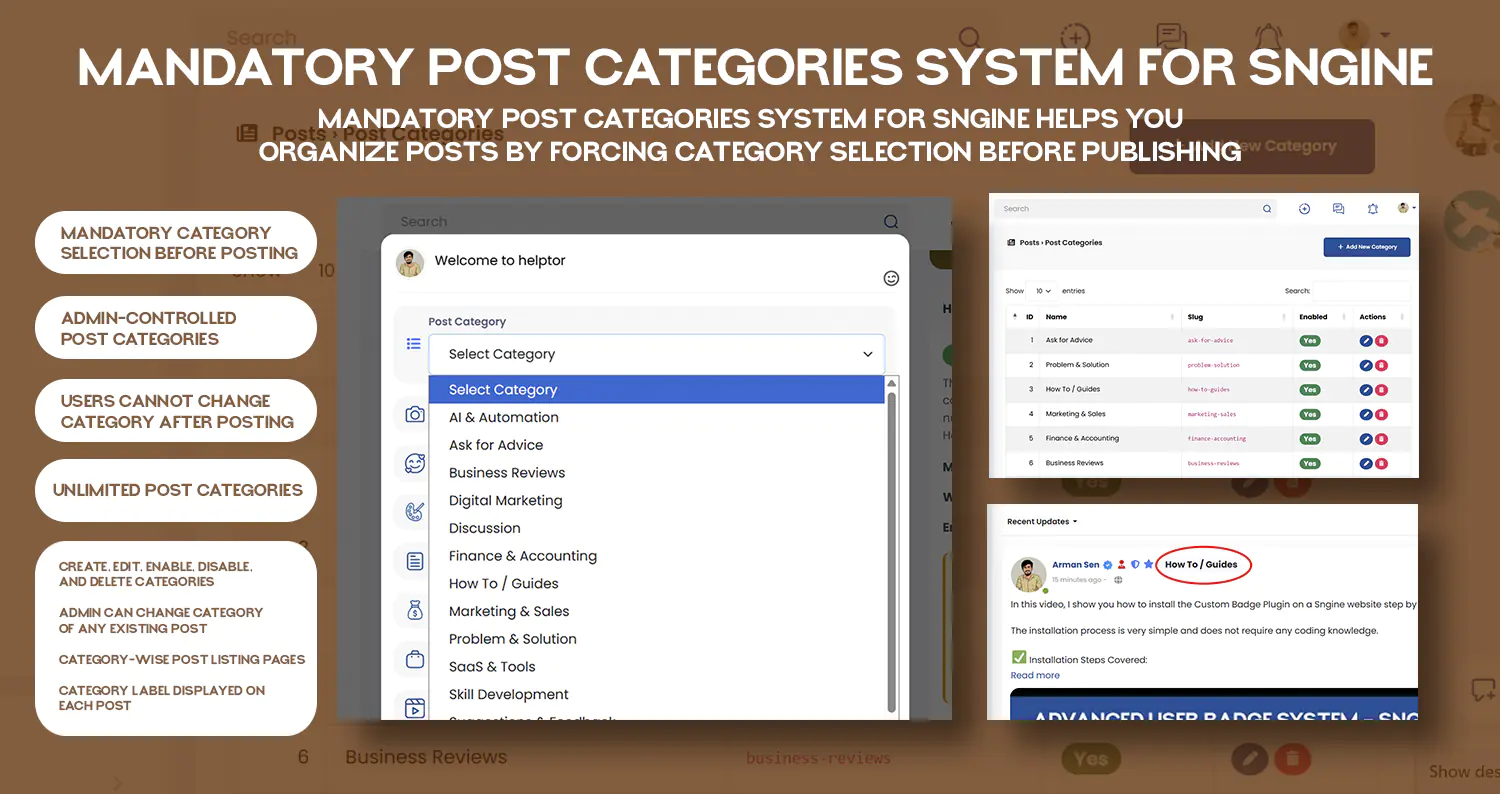

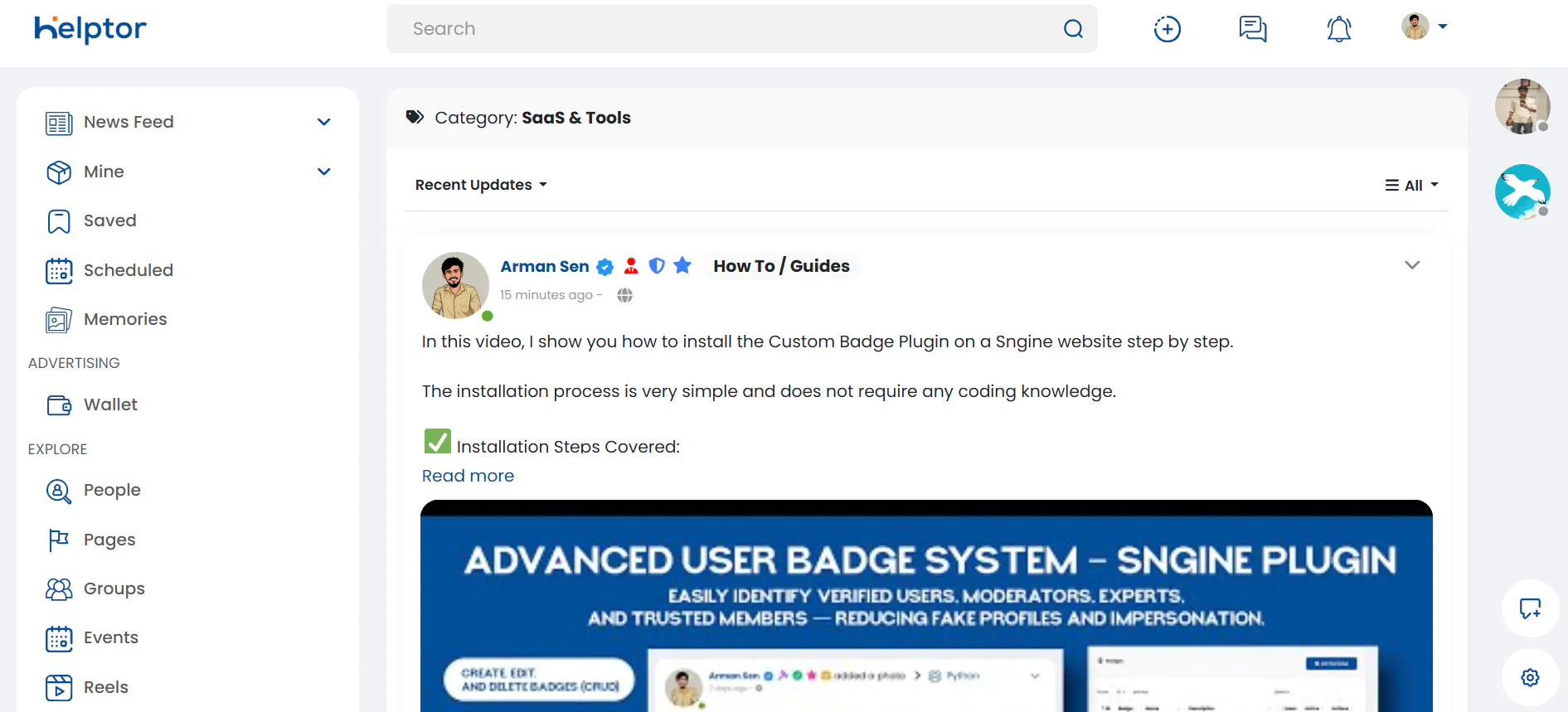
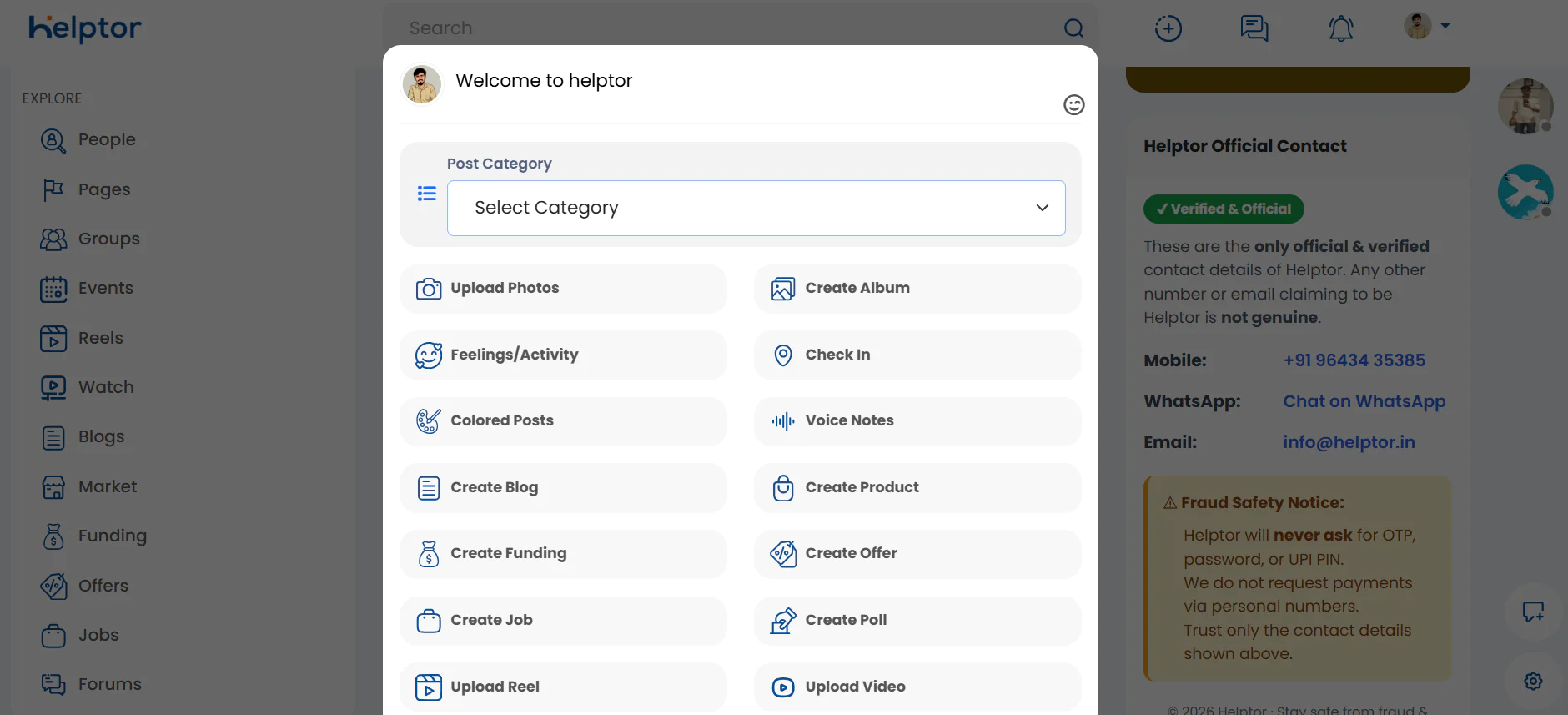
Mandatory Post Categories System for Sngine is a powerful plugin that brings blog-style category organization to your Sngine-based website. With this plug
بواسطة kanukp
$29.00
Mandatory Post Categories System for Sngine is a powerful plugin that brings blog-style category organization to your Sngine-based website.
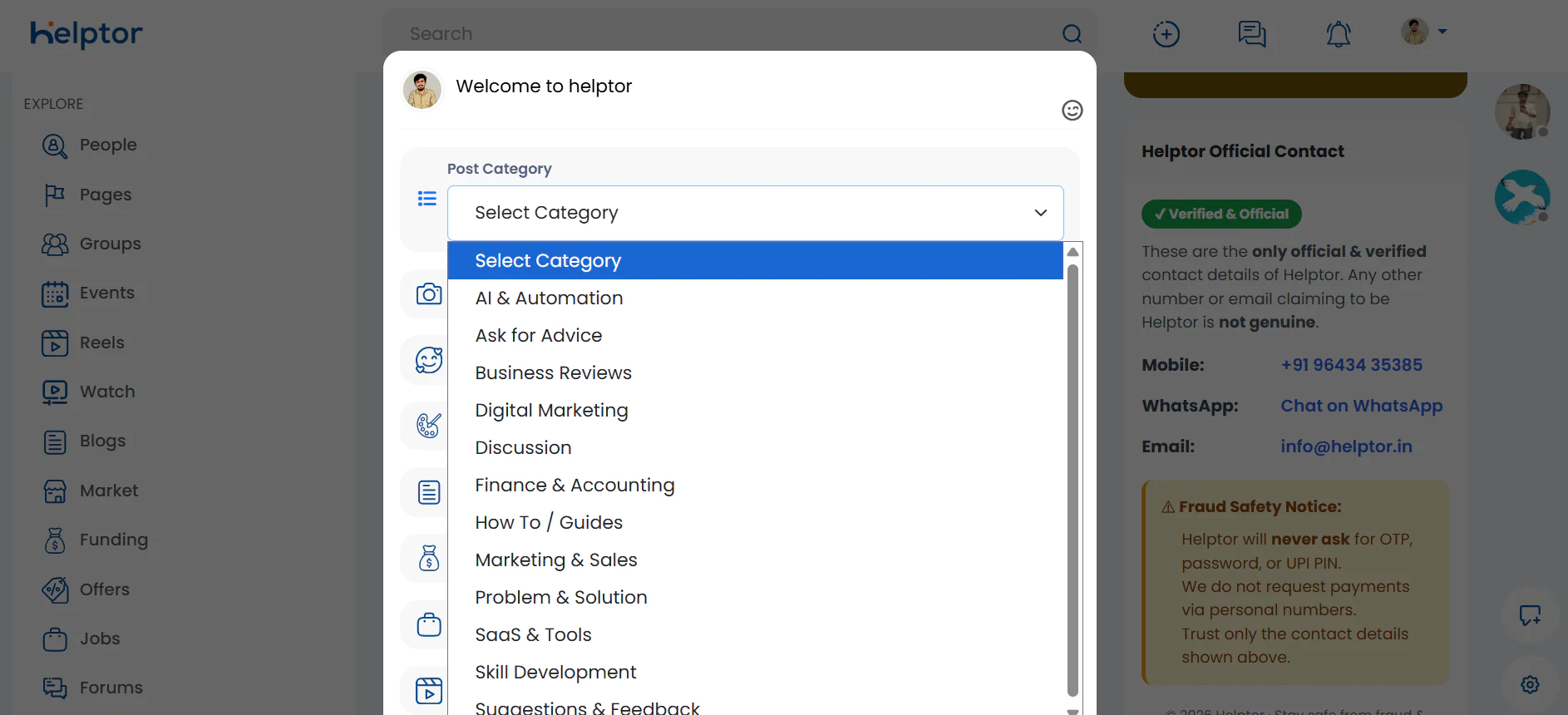
With this plugin, users must select a category before publishing a post, ensuring that all content is properly structured from the start. Categories are fully controlled by the admin, giving you complete authority over how posts are organized, moderated, and displayed.
This plugin is ideal for communities, help platforms, forums, Q&A websites, and discussion networks that need clean content structure and better discoverability.
Why You Need This Plugin
Default Sngine posts are unstructured, which can lead to:
This plugin solves these problems by enforcing mandatory categorization, just like a professional blog or forum system.
🔑 Key Features
✔ Mandatory Category Selection
Users cannot publish a post without selecting a category.
This ensures that every post belongs to a clear topic area.
If a category is not selected, the system displays a validation message and prevents posting.
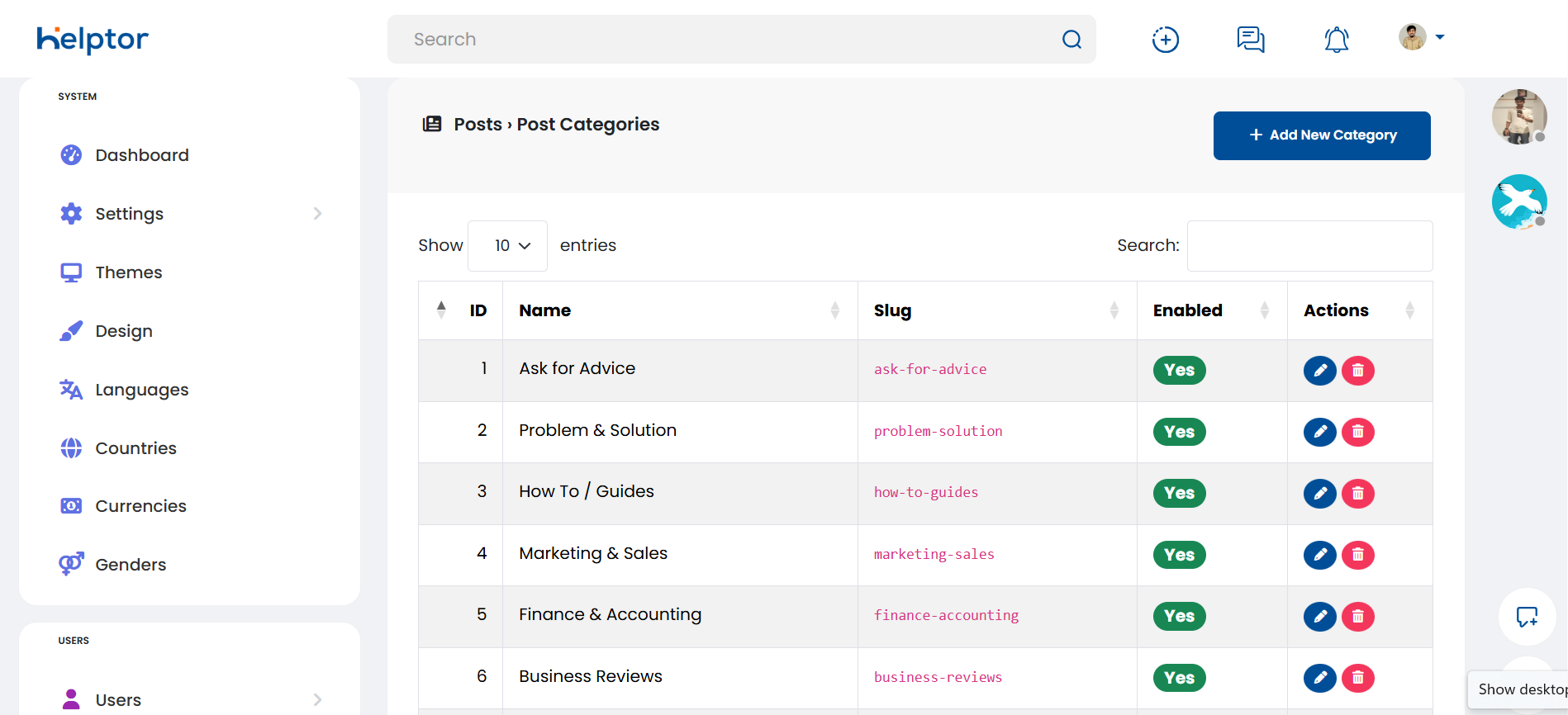
✔ Admin-Controlled Categories
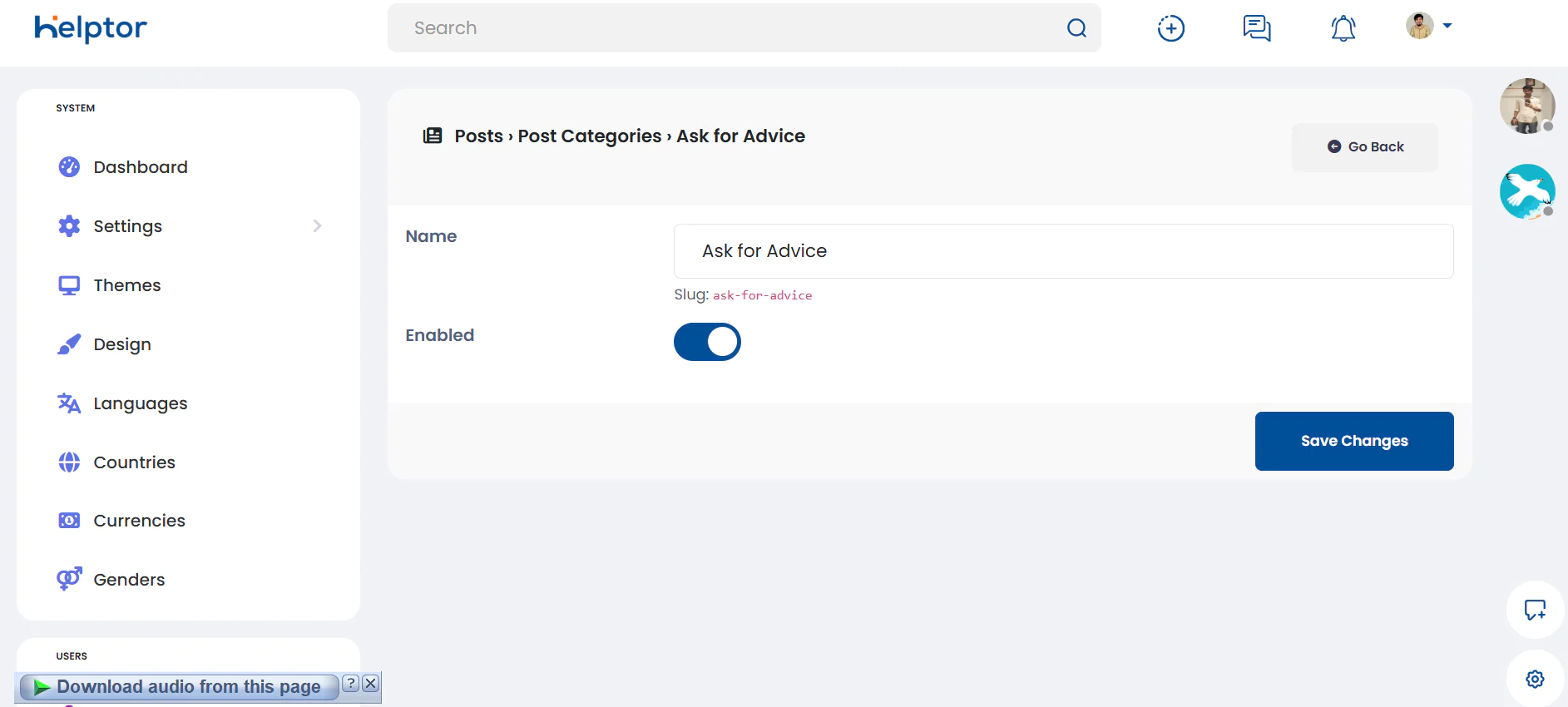
Only admins can manage post categories.
From the admin panel, you can:
Users cannot create, edit, or delete categories, keeping your platform structured and controlled.
✔ Unlimited Categories
There is no limit to the number of categories you can create.
You can organize posts based on your niche, such as:
✔ One Category Per Post (Clean Structure)
Each post can belong to only one category, ensuring:
✔ User Restriction After Posting
Once a post is published:
This prevents misuse and keeps content consistent.
✔ Admin Override for Existing Posts
Admins have full moderation control and can:
This is useful when:
✔ Category-Wise Post Pages
Each category has its own dedicated page where all related posts are displayed together.
Example:
This helps users quickly find content related to a specific topic.
✔ Category Label on Posts
Every post clearly displays its category label, making it easy to understand the post topic at a glance.
🎯 Perfect For
Changelog: v2.0
Changelog: v2.3
بواسطة kanukp
بواسطة kanukp
بواسطة kanukp