How to Integrate AWS CloudFront with Sngine
Simply Go to your AWS Console and select the CloudFront service and follow the following steps


Simply Go to your AWS Console and select the CloudFront service and follow the following steps
The Origin domain = Your S3 Bucket
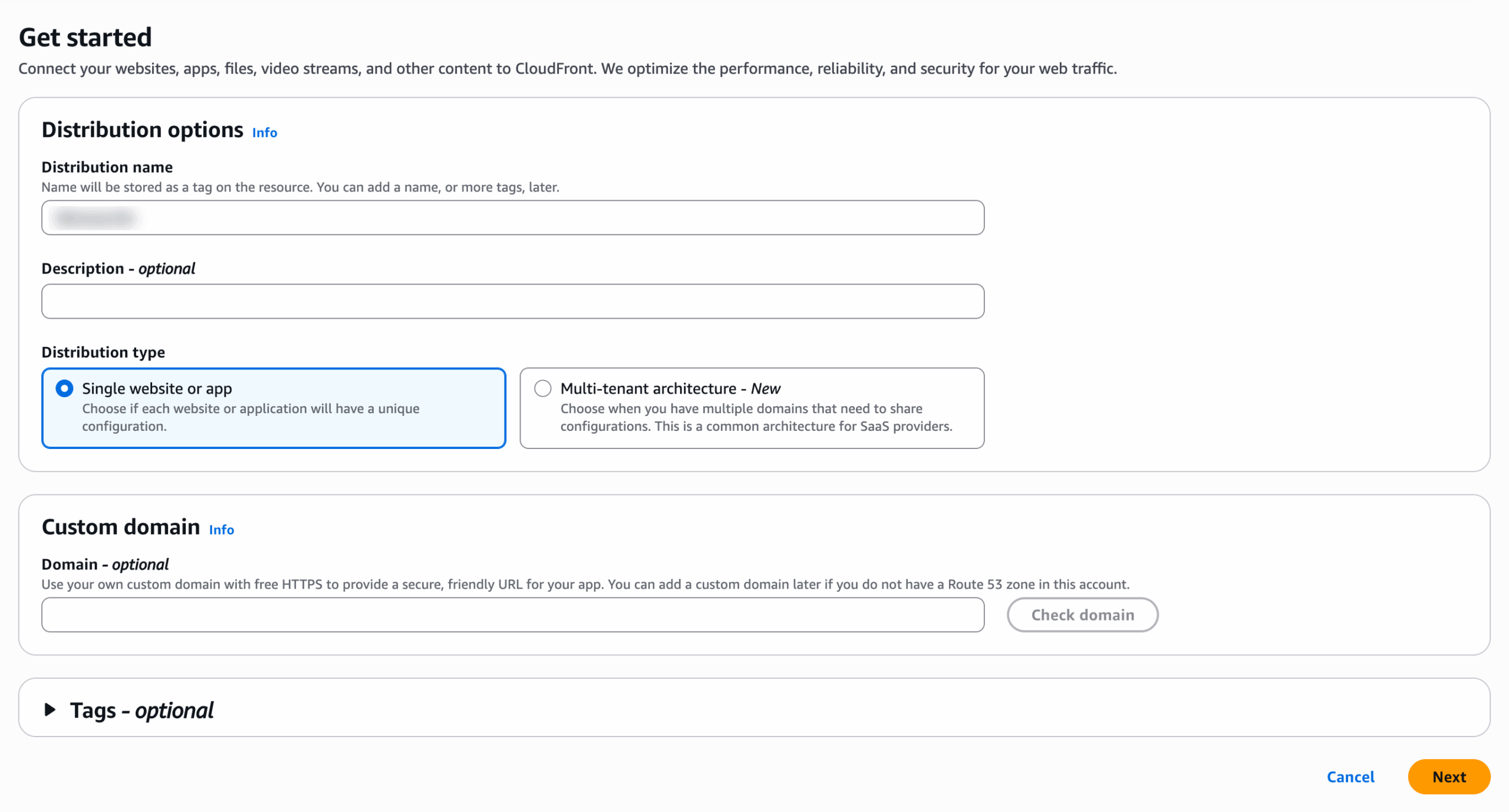
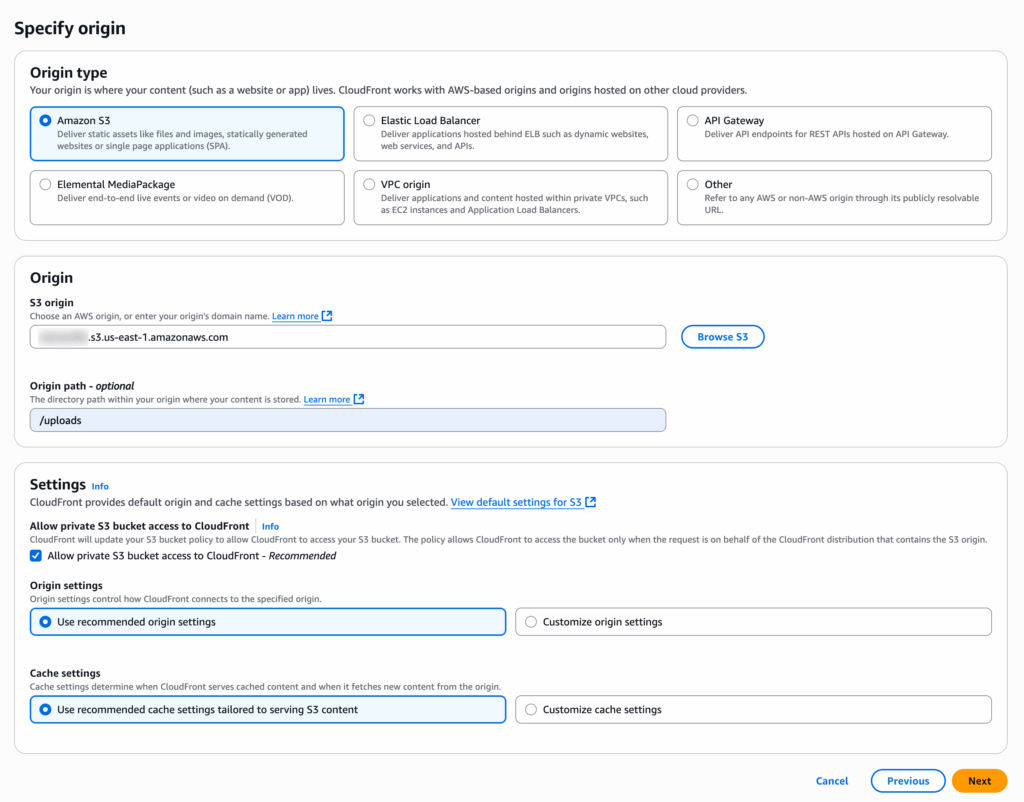
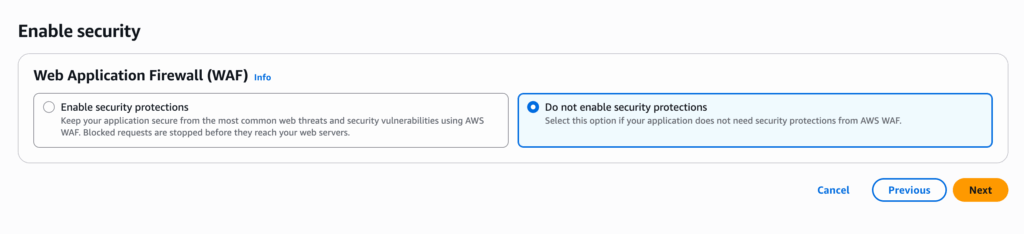
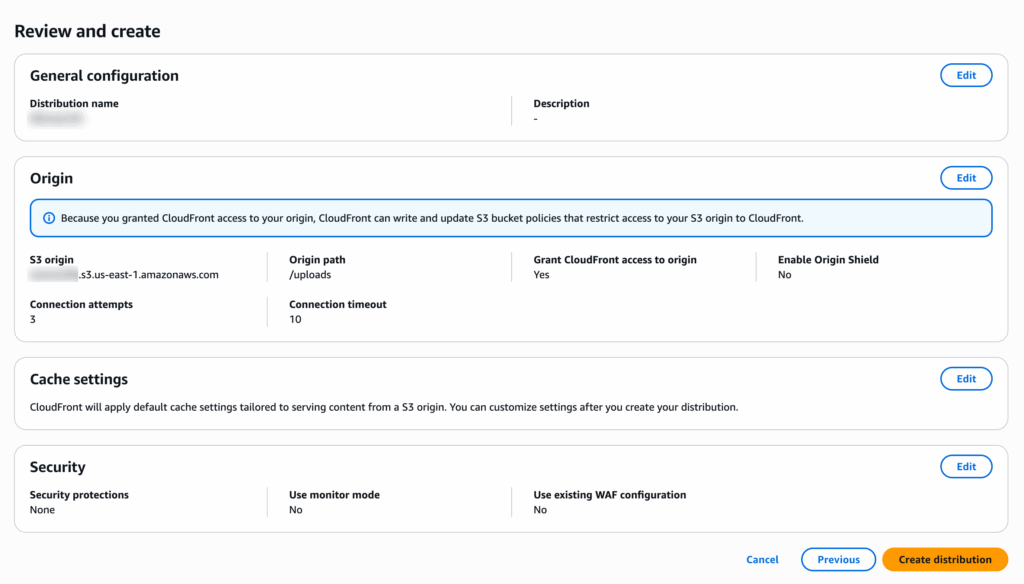
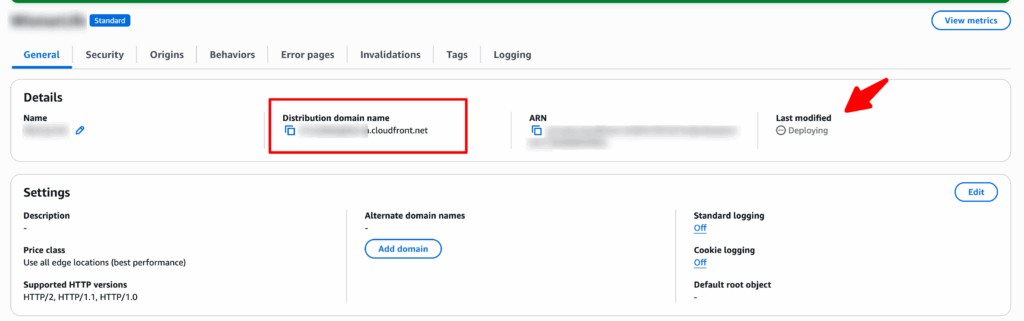
Wait till deploying finished and then copy the new distribution domain name
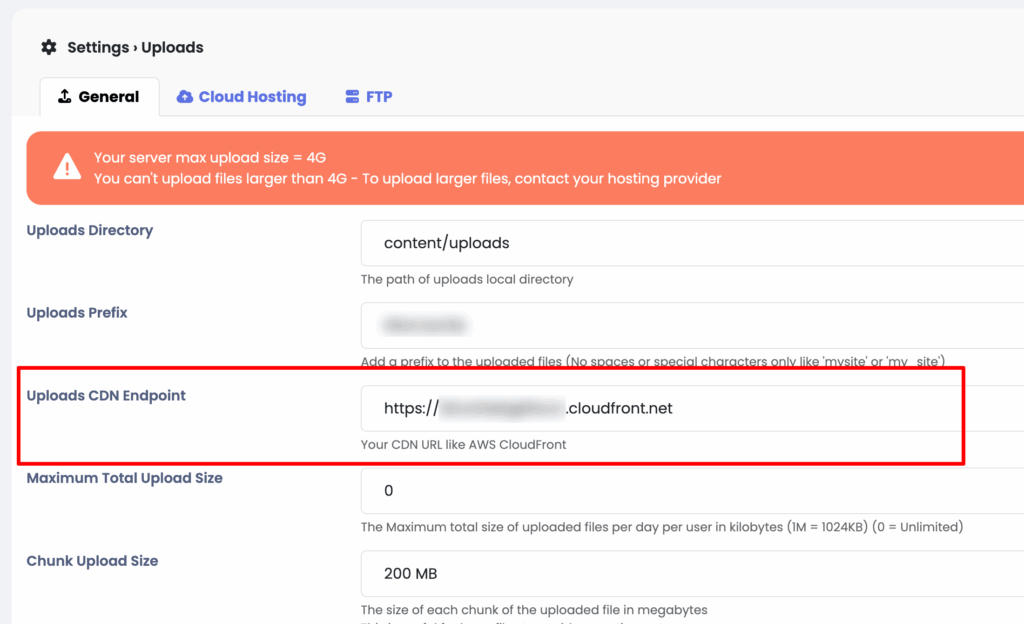
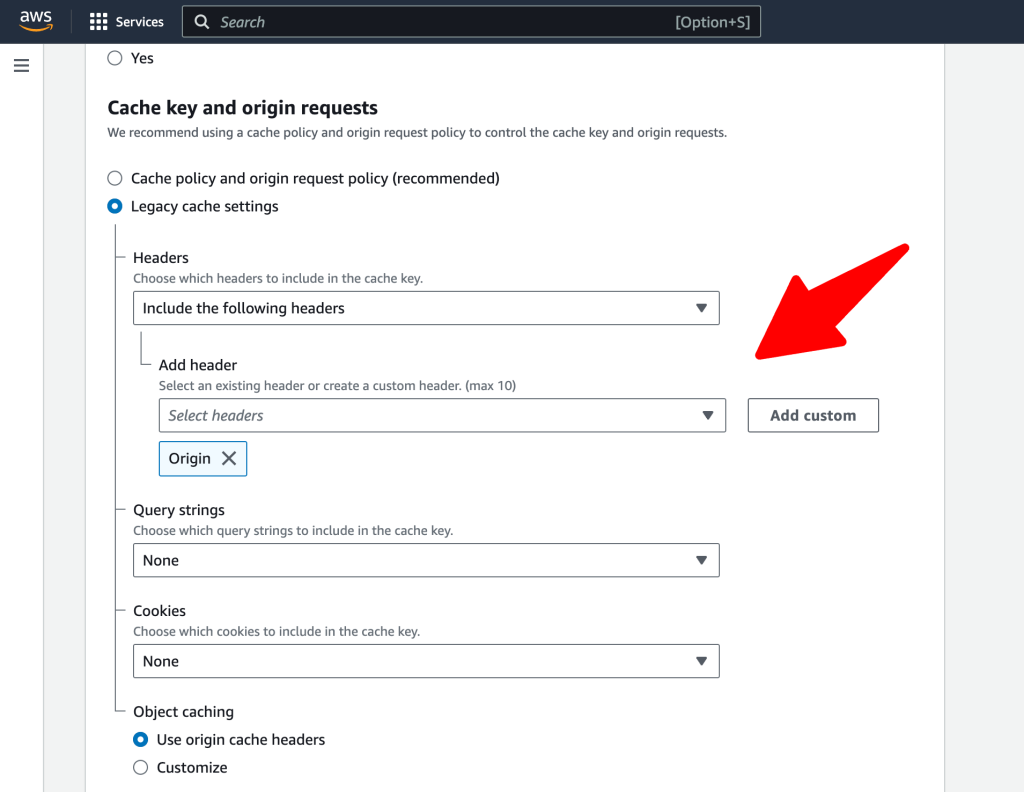
Note: Incase you have CORS policy issue you will need to edit the Update CloudFront Distribution Behavior
Open the CloudFront Console:
- Go to the AWS Management Console and open the CloudFront console.
Select Distribution:
- Choose the CloudFront distribution you are using.
Edit Behaviors:
- Go to the “Behaviors” tab and edit the behavior that corresponds to the path you are serving.
Forward Headers:
- In the behavior settings, under the “Cache Key and Origin Requests” section, select “Origin Request Policy” and then “Create Origin Request Policy” if you don’t have one already.
- In the “Headers” section of the origin request policy, make sure to include the
Originheader.
Save Changes.
That’s it.
Happy Sngine 🙂
Buy Sngine or Extend your support: https://bit.ly/BuySngine