Welcome to the new Zamblek — and the new Sngine website - The new Zamblek website is live — and with it, a new home for Sngine, your licenses, support, and the entire ecosystem. اعرف المزيد
What’s New with v4.5! - Sngine v4.5 comes with a lot of new features اعرف المزيد
Sngine 4.5 Release! - Our Sngine team is so pleased to announce the release of Sngine 4.5! With some improvements, اعرف المزيد

How to change your domain for Sngine?

If you want to change your domain name for Sngine it’s very simple Open “includes/config.php” and

Zamblek Zamblek 1 دقيقة قراءة
How to change your domain for Sngine?

If you want to change your domain name for Sngine it’s very simple

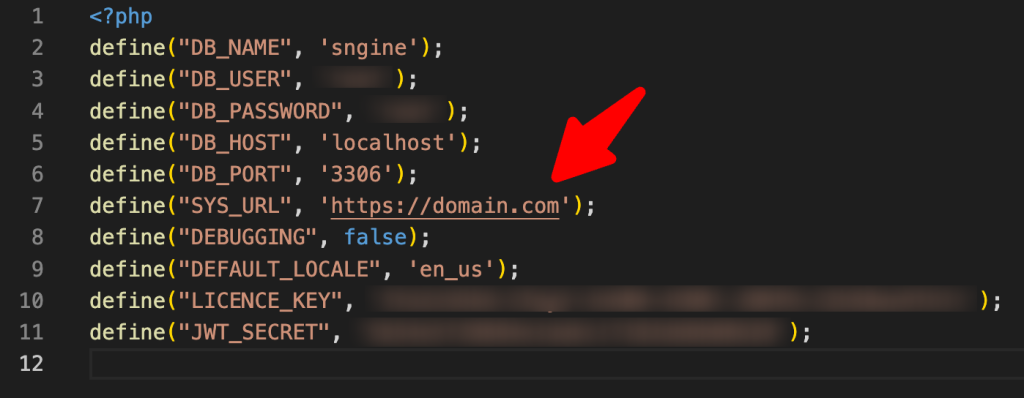
Open “includes/config.php” and change the SYS_URL to the new domain.
To learn how to move to a new server you can check our tutorial from here:

That’s it.

Happy Sngine 🙂

Buy Sngine or Extend your support: https://bit.ly/BuySngine