Por kanukp



Bio Studio Plugin for SngineVersion: 1.1.0Author: Erghy.comLanguage: PHP (Sngine Framework), JavaScript (ES6), Tailwind CSS v4, HTML5Architecture: MVC (Mod
Por erghycom
$36.00
Bio Studio Plugin for Sngine
Version: 1.1.0
Author: Erghy.com
Language: PHP (Sngine Framework), JavaScript (ES6), Tailwind CSS v4, HTML5
Architecture: MVC (Model-View-Controller)
Database: MySQL (via Sngine's $db class)
ChangelogVersion 1.1.0 (July 2026)🚀 New Blocks Added (5 High-Demand Blocks)🆓 Free Blocks
Direct Contact (contact)
Display a phone number, email address, and physical location with one-click actions. Perfect for businesses, freelancers, and content creators.
Countdown Timer (countdown)
Add a live countdown for product launches, events, promotions, or limited-time offers.
Google Maps / Location (map)
Embed an interactive Google Map with an optional address and one-click directions link.
💎 Pro Blocks
Digital Download (download)
Sell or distribute digital products including PDFs, eBooks, ZIP archives, templates, and other downloadable files.
Tip Jar / Support Me (tip_jar)
Accept tips, donations, or "Buy Me a Coffee" payments with customizable suggested amounts such as $5, $10, and $25.
🔒 Security Improvements
Fixed a Stored XSS vulnerability in the Custom CSS editor by sanitizing user input and stripping dangerous script breakout tags.
Enforced server-side MIME type verification using finfo_file() and getimagesize() during image uploads.
Automatically generates .htaccess protection inside /content/uploads/biostudio/ to prevent PHP execution.
Disabled PHP display_errors in production environments.
🛠 Bug Fixes & Improvements
Added SweetAlert2 integration in builder.php to resolve the "Swal is not defined" console error.
Fixed the PHP Undefined variable: $textColor notice on public Bio pages.
Expanded YouTube URL detection to support:
Standard videos
Shorts
Live streams
youtu.be links
Improved username routing and validation before database queries.
Introduction
Bio Studio is a powerful Link-in-Bio plugin built exclusively for the Sngine platform.
It enables users to create fully customizable bio pages where they can showcase links, social media profiles, products, videos, digital downloads, maps, countdowns, newsletters, contact information, and much more—all from a single page.
The plugin includes a modern drag-and-drop page builder, built-in analytics, multiple themes, SEO tools, and seamless integration with Sngine's Pro Packages.
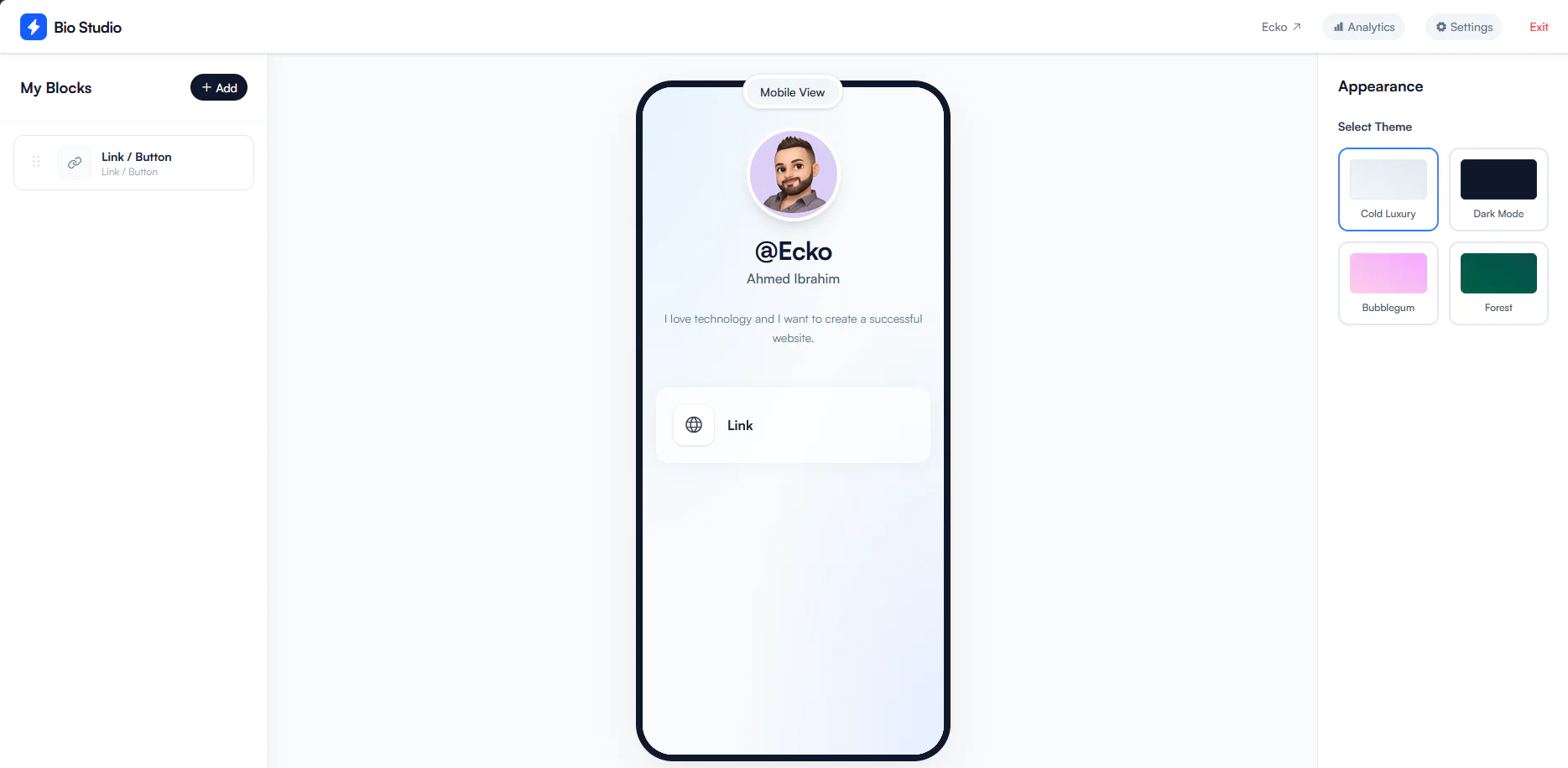
Features1. Drag & Drop Builder
Live editing with instant preview.
Drag-and-drop block reordering.
Real-time editing experience.
Fully responsive on desktop, tablet, and mobile devices.
2. Available Blocks (15 Built-in)🆓 Free Blocks
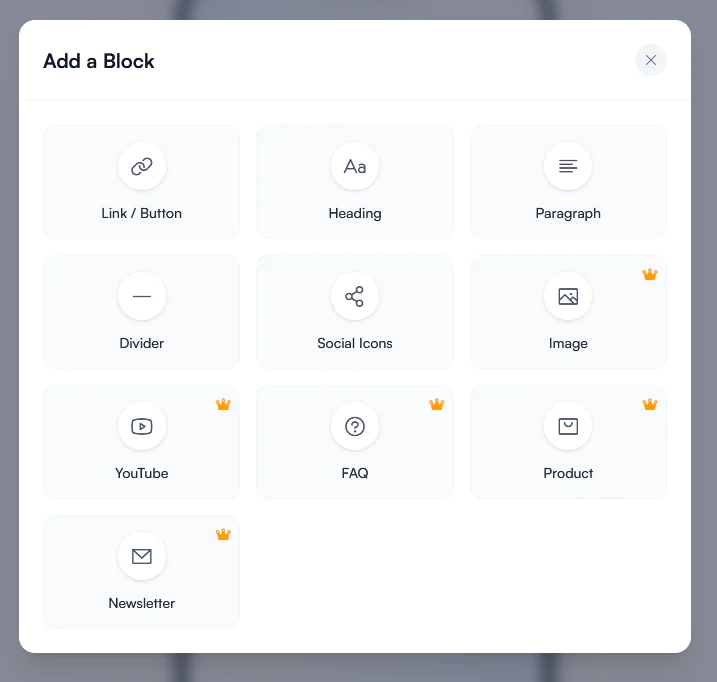
Link / Button — Link to any website.
Heading — Create section titles.
Paragraph — Display text content.
Divider — Separate page sections.
Social Icons — Instagram, X (Twitter), Facebook, TikTok, YouTube, LinkedIn, WhatsApp, Telegram, and more.
Direct Contact — Phone number, email, and address.
Countdown Timer — Live countdown clock.
Google Maps / Location — Embedded interactive map with directions.
💎 Pro Blocks
Image (Pro) — Upload images up to 20MB.
YouTube (Pro) — Embed YouTube videos, Shorts, and Live streams.
FAQ (Pro) — Expandable questions and answers.
Product (Pro) — Showcase products with images, pricing, and purchase links.
Newsletter (Pro) — Collect visitor email addresses.
Digital Download (Pro) — Share downloadable files and digital products.
Tip Jar / Support Me (Pro) — Receive donations and creator support.
3. Block Controls & ConfigurationBlockAccessAvailable SettingsDirect ContactFreeSection Title, Phone, Email, AddressCountdown TimerFreeEvent Title, Target Date & Time, Button Label, Button URLGoogle MapsFreeLocation Title, Address, Google Maps LinkDigital DownloadProFile Title, Description, Download URL, Button LabelTip JarProTitle, Description, Payment Link, Button Label, Suggested Amounts4. Built-in Themes
Bio Studio includes four professionally designed themes:
Cold Luxury
Dark Mode
Bubblegum
Forest
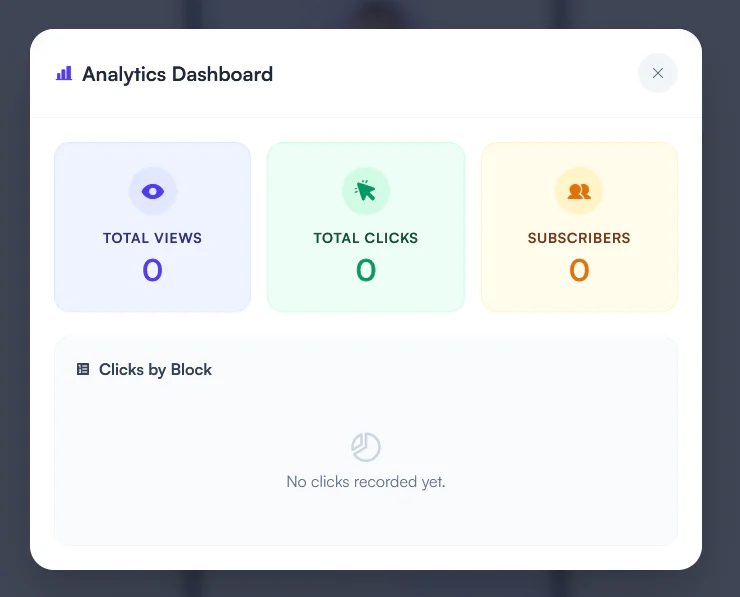
5. Analytics
Track your page performance with built-in analytics.
Total Page Views
Total Link Clicks
Individual Block Click Statistics
Newsletter Subscribers
6. Free & Pro Features
Bio Studio integrates directly with Sngine Pro Packages (user_group / user_package).
Free Users
Access to all free blocks.
"Powered by Bio Studio" branding.
Basic customization features.
Pro Users
Unlock all premium features:
All Pro Blocks
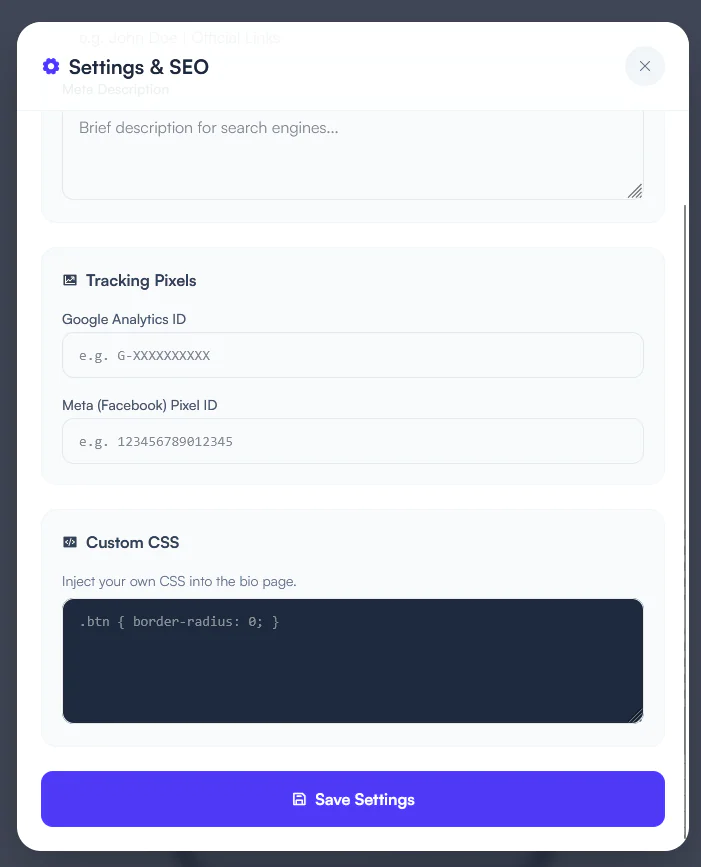
Advanced SEO Settings
Google Analytics Integration
Facebook Pixel Integration
Detailed Analytics
Watermark-Free Pages
When a Free user selects a premium feature, they are automatically redirected to the Sngine Packages page to upgrade.
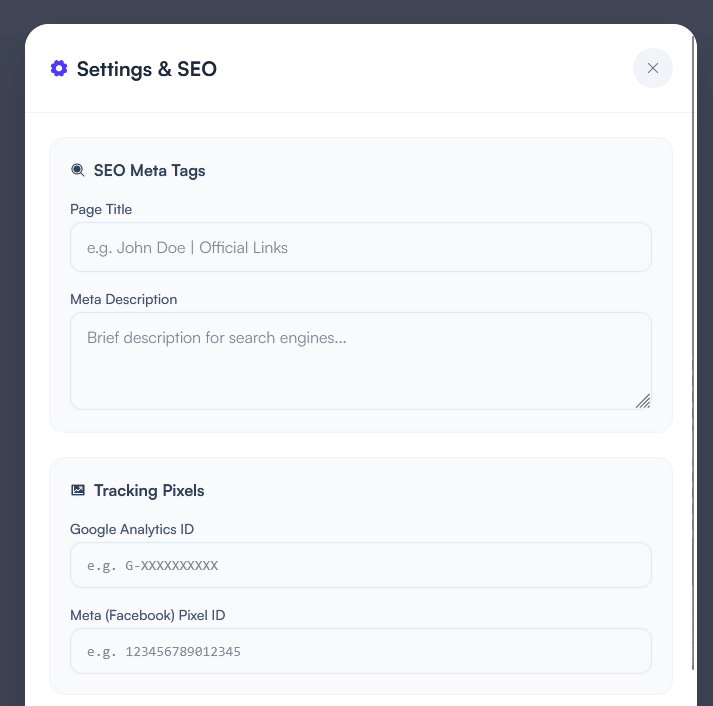
7. SEO & Marketing
Custom Meta Title
Custom Meta Description
Google Analytics ID
Facebook Pixel ID
Export Newsletter Subscribers as CSV
Installation
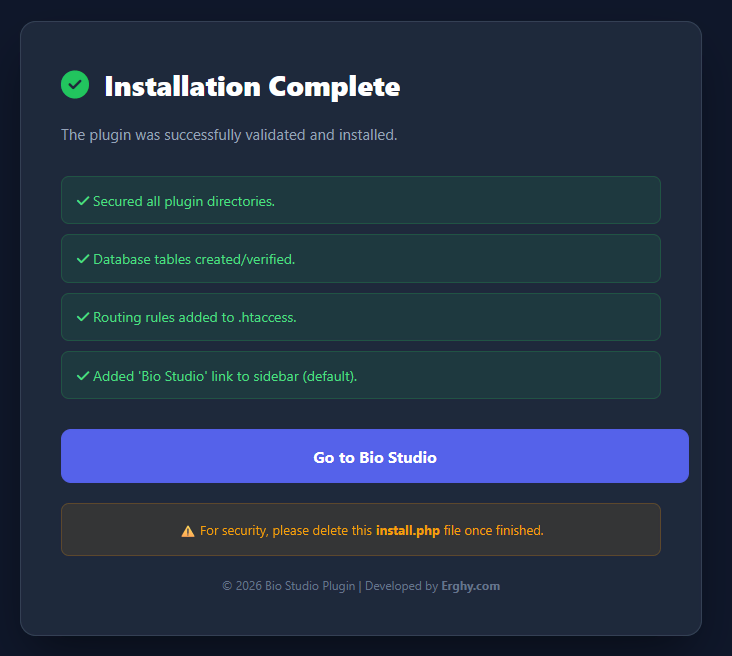
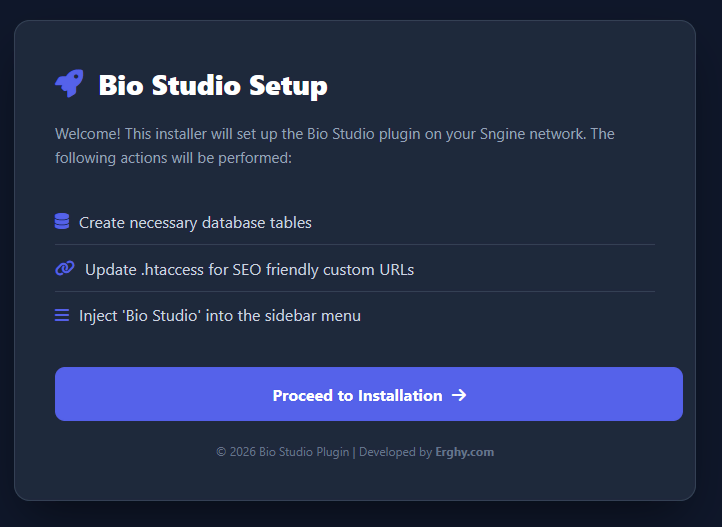
Bio Studio includes a simple web-based installer.
Step 1
Extract BioStudio_Plugin.zip and upload the BioStudio folder to:
yourwebsite.com/plugins/BioStudio/
Step 2
Open:
https://yourwebsite.com/plugins/BioStudio/install.php
Step 3
Enter your Purchase Code.
Step 4
The installer will automatically:
Create all required database tables.
Configure the plugin.
Generate the required .htaccess protection.
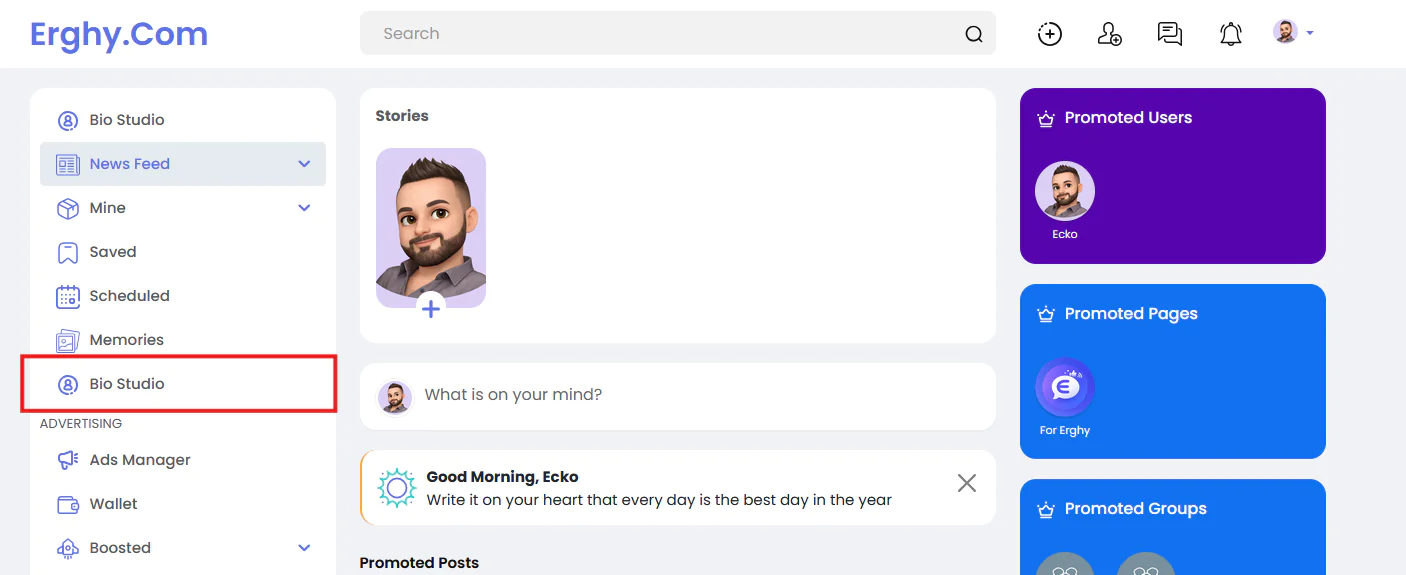
Add the Bio Studio menu to the Sngine sidebar.
Step 5
For security, delete the following files after installation:
install.php
install.sql
Updating to Version 1.1.0
If you already have Bio Studio v1.0.0 installed, use the update package located in:
plugins/BioStudio/updates/v1.1.0/
Step 1 — Replace Updated Files
Copy the files from the update package into your main plugin directory:
index.php
Controllers/Api/UploadController.php
Services/AuthAdapter.php
Helpers/BlockRenderer.php
Views/bio.php
Views/dashboard/builder.php
Step 2 — Run the Update Script
Open:
https://yourwebsite.com/plugins/BioStudio/update.php
or
https://yourwebsite.com/plugins/BioStudio/updates/v1.1.0/update.php
while logged in as an Administrator.
Step 3 — Cleanup
After the update completes successfully, delete:
update.php
from your server.
User GuideAccessing Bio Studio
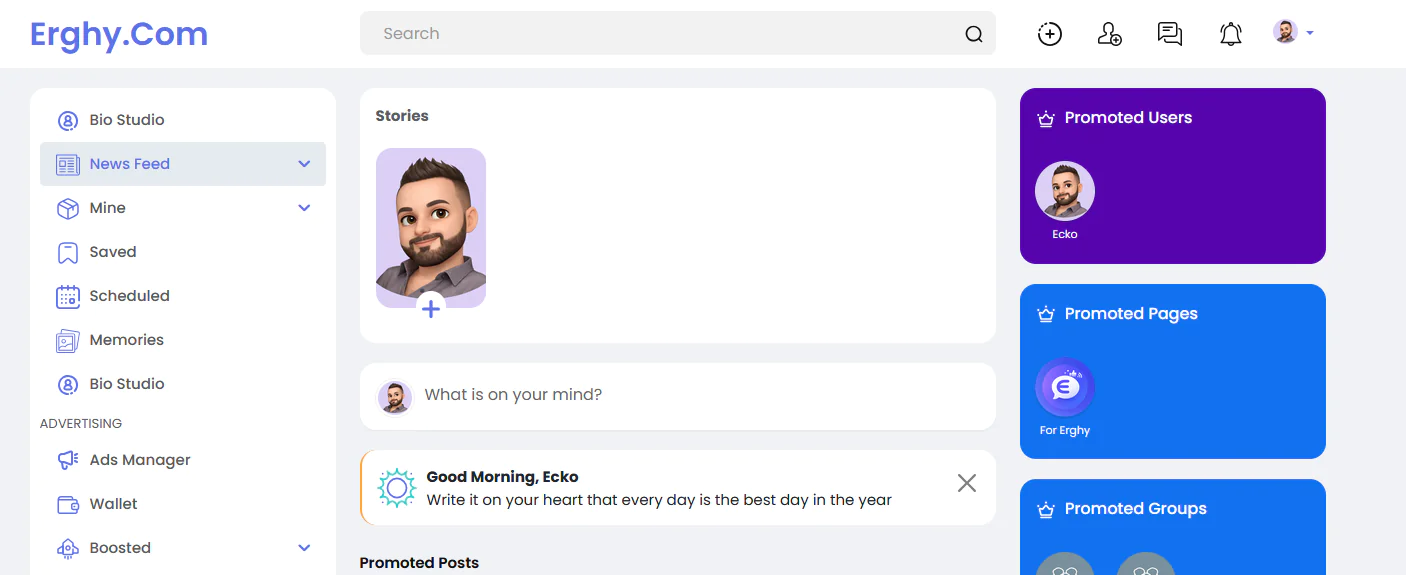
Open Bio Studio from the left sidebar of the Sngine News Feed.
Choosing a Username
The first time you open Bio Studio, you'll be prompted to choose a unique username.
Example:
yourwebsite.com/@john
Building Your Bio Page
Click Add Block.
Edit blocks using the settings panel.
Drag and drop blocks to reorder them.
Choose your preferred theme.
Publish your page instantly.
Analytics
The Analytics dashboard displays:
Total Page Views
Link Clicks
Individual Block Performance
Newsletter Subscribers
Project Structure
Bio Studio follows a clean MVC architecture.
Controllers/ — Request handling, authentication, and API endpoints.
Models/ — Database operations.
Views/ — Dashboard and public page templates.
Helpers/BlockRenderer.php — Responsible for rendering every supported block on public Bio pages. To add a new block, implement its renderer here and define its editor schema in builder.php.
Thank You
Thank you for choosing Bio Studio.
We hope you enjoy building beautiful, customizable, and high-converting bio pages for your Sngine community.
Por kanukp
Por kanukp

Por kanukp