How to move Sngine to new server?
If you want to change the hosting provider or move Sngine to a new server, All

If you want to change the hosting provider or move Sngine to a new server, All you need to do is very simple
1- Take a backup from your files and your database.
2- Move/Restore/Upload your files to you new server and the same for your database
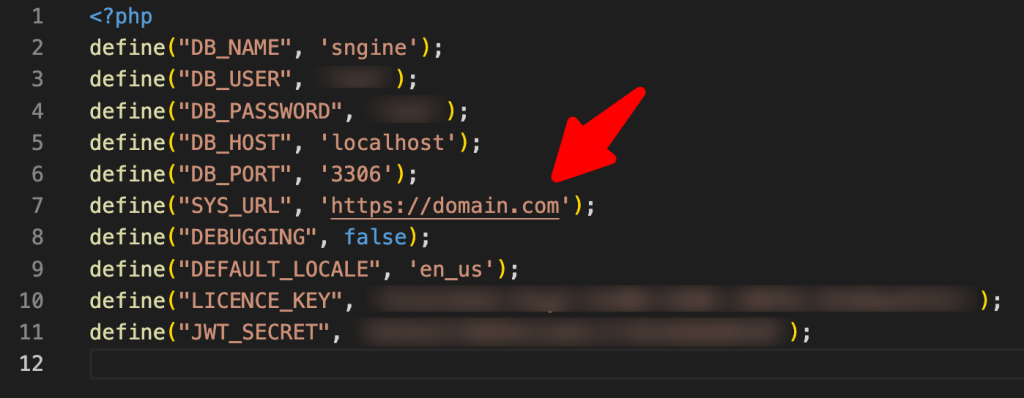
3- Update the config file if you changed anything related to the database details like database name or host or user also if you changed your domain name to something new.
That’s it.
Happy Sngine 🙂
Buy Sngine or Extend your support: https://bit.ly/BuySngine
Artigos relacionados
Primeiros passos, Dicas e tutoriais
How Sngine Helps Combat Spam
 Zamblek
3 min de leitura
Primeiros passos, Dicas e tutoriais
How To Set CORS Policy For Google Cloud Bucket?
Zamblek
1 min de leitura
Primeiros passos, Dicas e tutoriais
New Google Playstore’s 12 Testers Policy for Production Release
Zamblek
1 min de leitura