How to integrate Google Adsense with Sngine?
To integrate Google Adsense with Sngine it’s very simple. First of all Google Adsense will need

To integrate Google Adsense with Sngine it’s very simple.
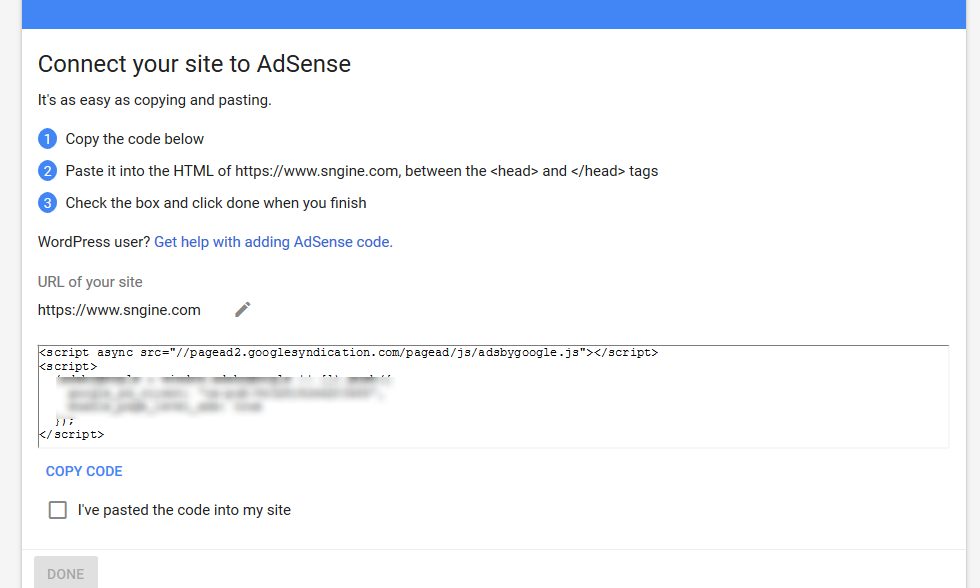
First of all Google Adsense will need to verify your website and will show you a code that need to put between <head> tag
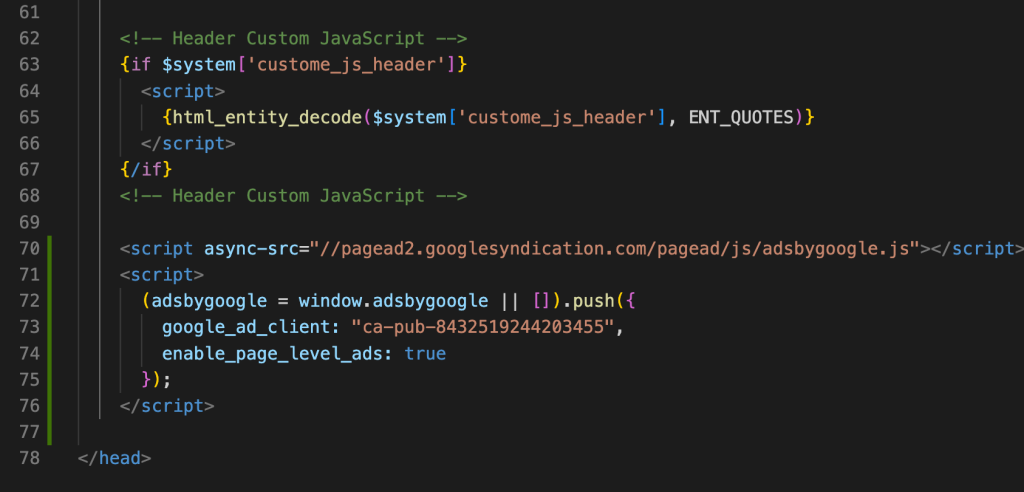
So you copy that code and put it inside the the following template:
content/themes/default/templates/_head.tpl
After that you will got this message
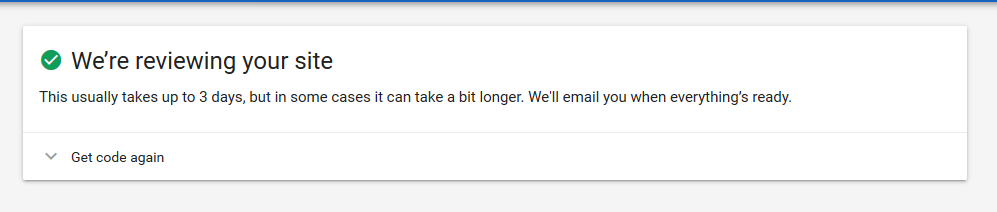
After getting verified by Google team Then you can simply copy and paste the ad unit code to Sngine admin panel -> System Ads
1- Copy the ad unit code from your Google Adsense Dashboard
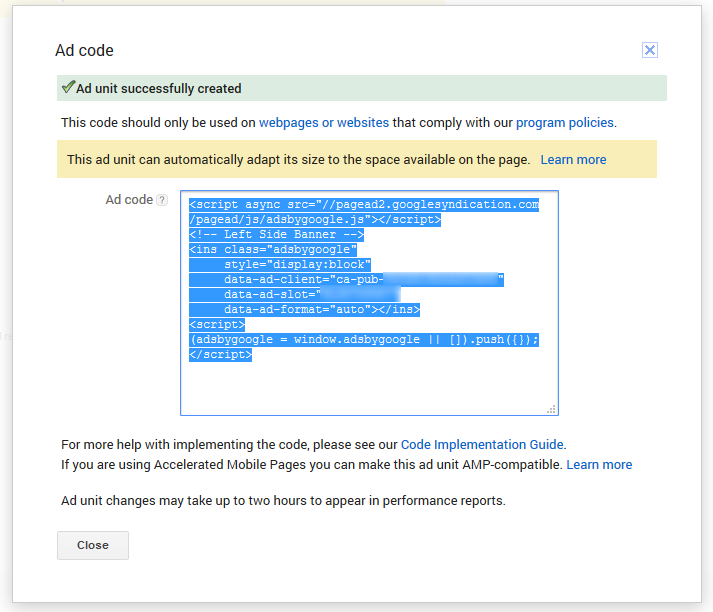
2- From Sngine Admin Panel -> System Ads paste the code and click Save Changes
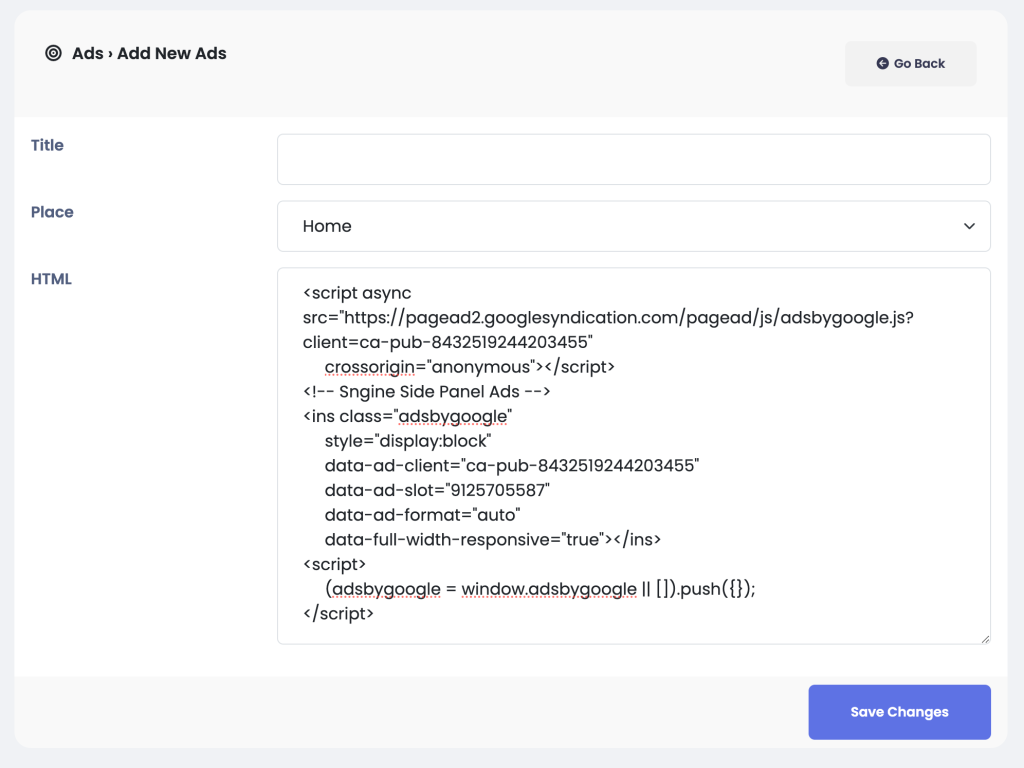
Note: Make sure you disabled any ad-block plugin from your browser to work fine
In most cases if you just start to use Google Adsense (new account) you will need to get your website approved and as Sngine like any social network, needs login to view the content so you need to follow this to Display ads on login-protected pages
https://support.google.com/adsense/answer/161351?hl=en
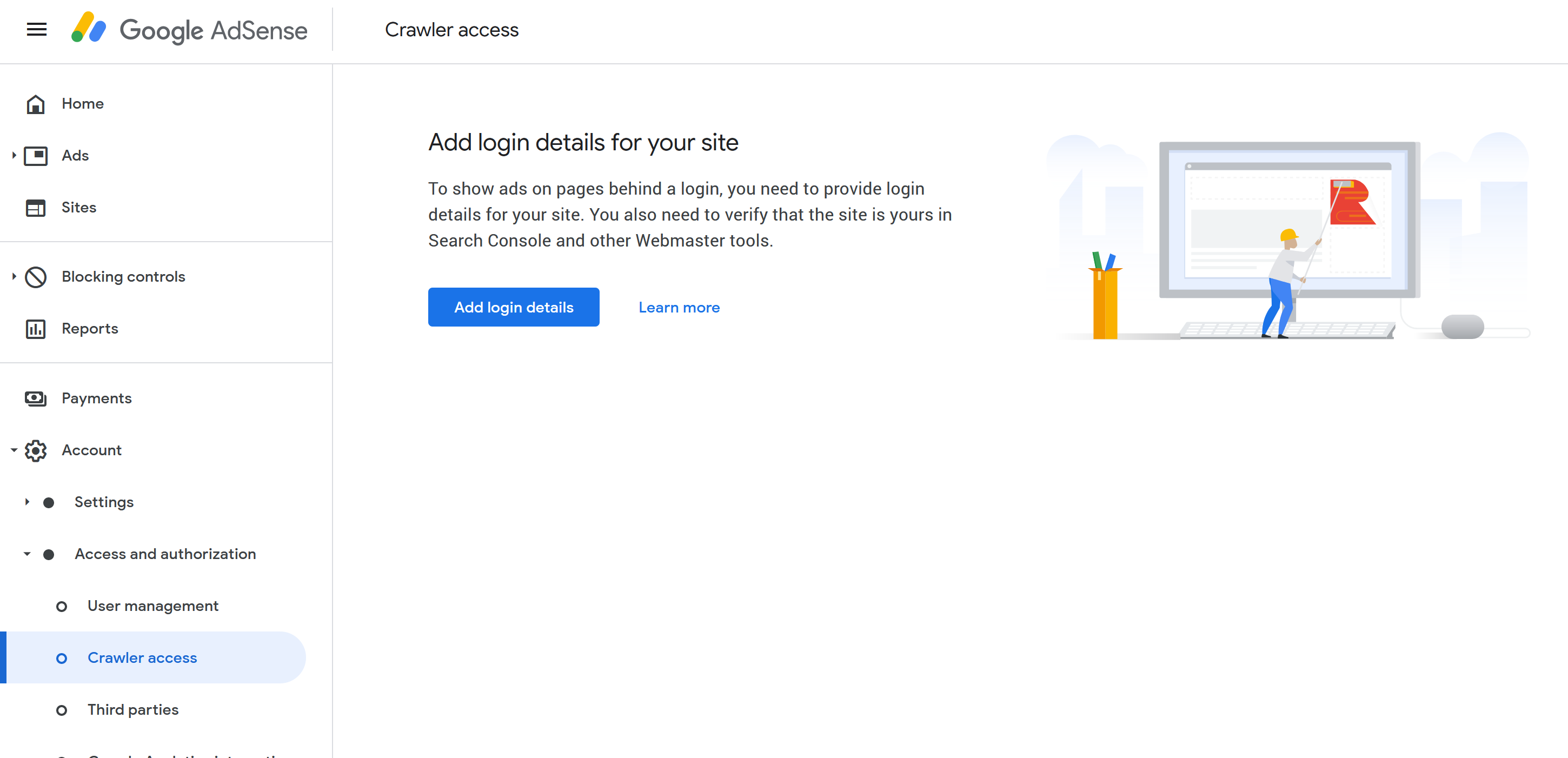
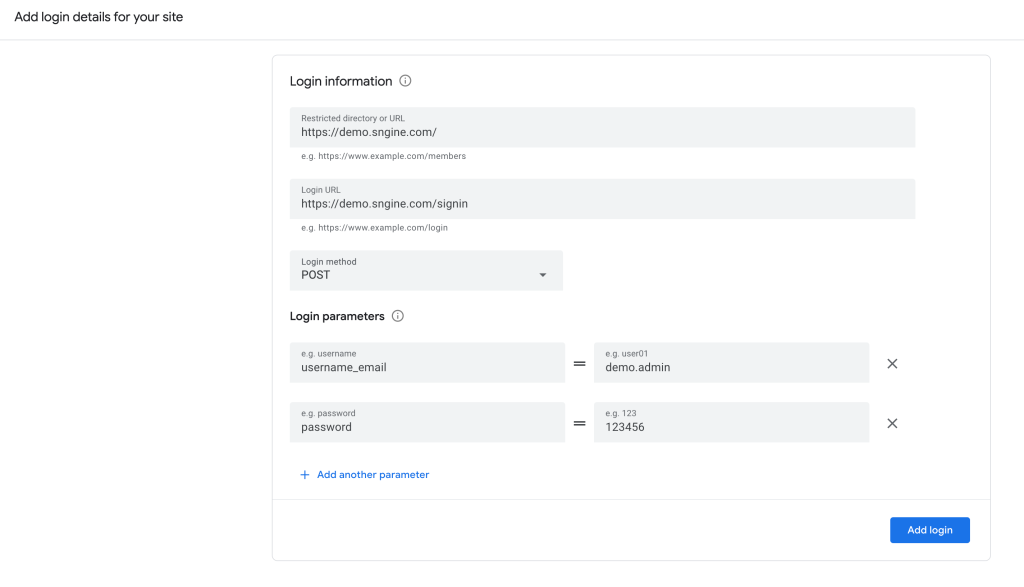
Note: Change this with your details for sure.
That’s it.
Happy Sngine 🙂
Buy Sngine or Extend your support: https://bit.ly/BuySngine
Artigos relacionados
Primeiros passos, Dicas e tutoriais
How Sngine Helps Combat Spam
 Zamblek
3 min de leitura
Primeiros passos, Dicas e tutoriais
How To Set CORS Policy For Google Cloud Bucket?
Zamblek
1 min de leitura
Primeiros passos, Dicas e tutoriais
New Google Playstore’s 12 Testers Policy for Production Release
Zamblek
1 min de leitura