How to change your domain for Sngine?
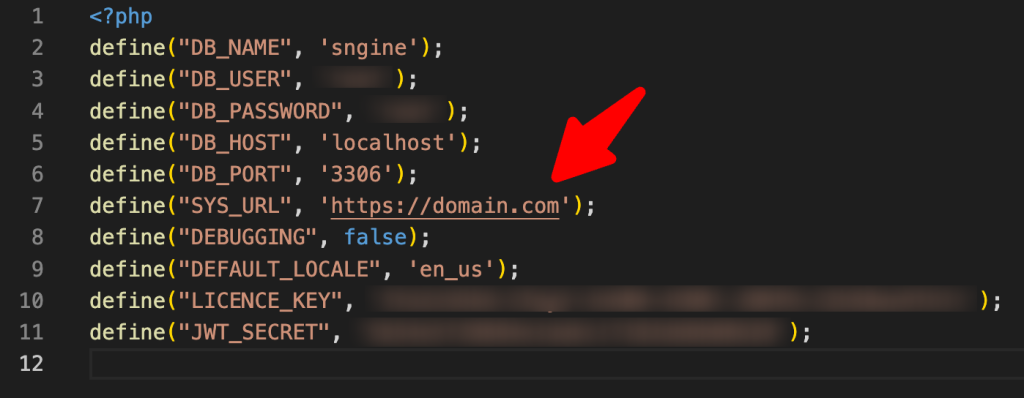
If you want to change your domain name for Sngine it’s very simple Open “includes/config.php” and

If you want to change your domain name for Sngine it’s very simple
Open “includes/config.php” and change the SYS_URL to the new domain.
To learn how to move to a new server you can check our tutorial from here:
That’s it.
Happy Sngine 🙂
Buy Sngine or Extend your support: https://bit.ly/BuySngine
Artigos relacionados
Primeiros passos, Dicas e tutoriais
How Sngine Helps Combat Spam
 Zamblek
3 min de leitura
Zamblek
3 min de leitura
Primeiros passos, Dicas e tutoriais
How To Set CORS Policy For Google Cloud Bucket?
Zamblek
1 min de leitura
Primeiros passos, Dicas e tutoriais
New Google Playstore’s 12 Testers Policy for Production Release
Zamblek
1 min de leitura