🛠️ Issue: Fix Cloudflare R2 CORS policy
Error: No ‘Access-Control-Allow-Origin’ header is present on the requested resource. If you’re facing this error while

Table des matières
Error:
No 'Access-Control-Allow-Origin' header is present on the requested resource.If you’re facing this error while using a custom domain with Cloudflare R2, you can fix it by adding a Transform Rule to your domain inside Cloudflare.
✅ Solution: Add a Vary header using Transform Rules
Cloudflare by default does not return proper Vary headers, which are needed for CORS to work correctly, especially when Origin, Access-Control-Request-Method, or Access-Control-Request-Headers vary between requests.
🚀 Step-by-Step Tutorial
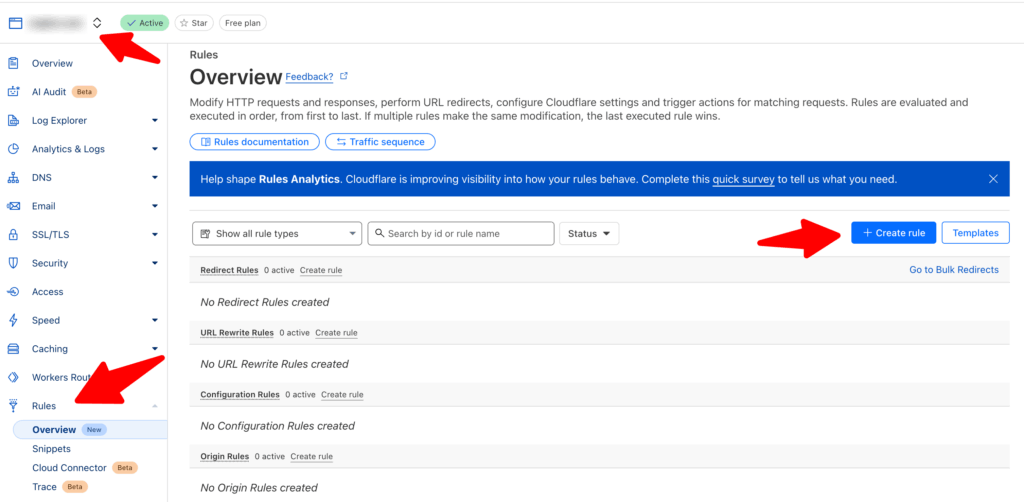
1. Go to your Cloudflare Dashboard
- Visit: https://dash.cloudflare.com
- Select the domain you’re using as a custom R2 endpoint (e.g.
cloud.sngine.com)
2. Navigate to:
Rules
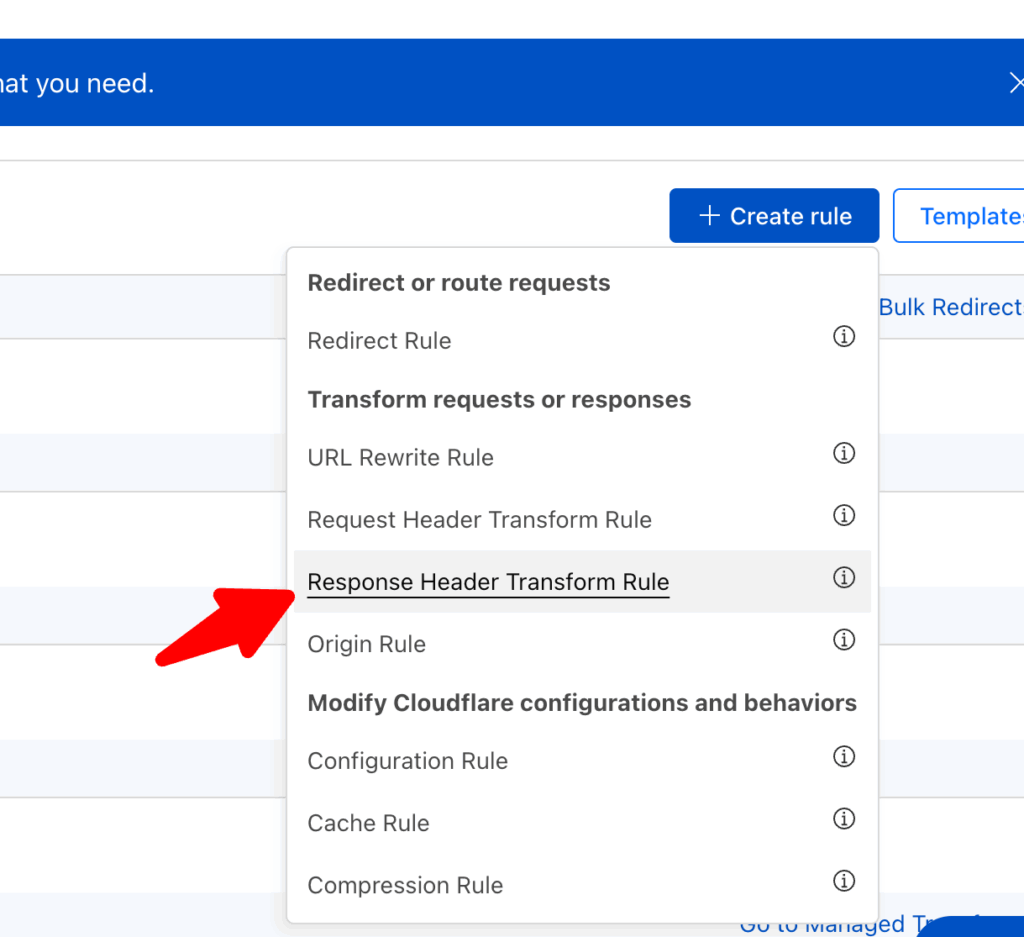
3. Click: “Create rule” under
→ Response Header Transform Rule
4. Fill in the Rule
- Rule name:
Fix R2 CORS Headers(or whatever you want) - If incoming requests match:
- Choose “Custom filter expression”
- Set the filter to match your R2 custom domain by Host:
- Field:
Host - Operator:
equals - Value: your custom domain (e.g.,
cloud.sngine.com) - You’ll see:
(http.host eq "cdn.example.com")
- Field:
5. Under “Then…”, modify response header:
- Click “Select new…” → Set new header
- Fill in:
- Header name:
Vary - Value:
Origin, Access-Control-Request-Method, Access-Control-Request-Headers
- Header name:
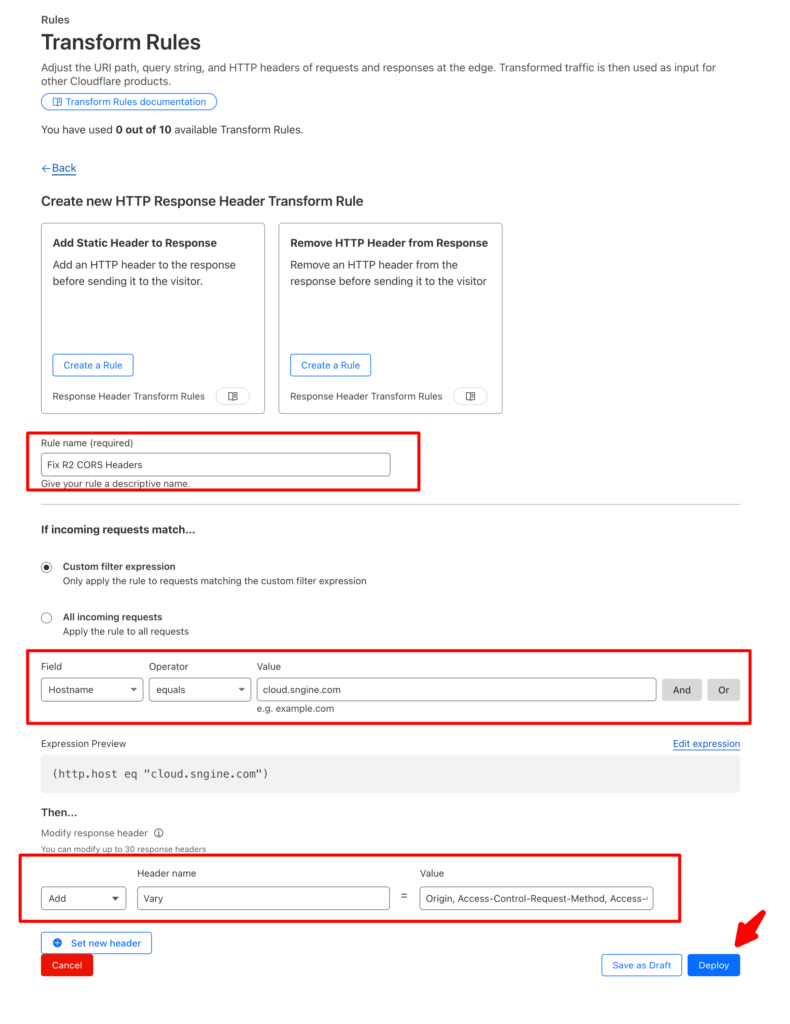
6. Click Deploy
That’s it.
Happy Sngine 🙂
Buy Sngine or Extend your support: https://bit.ly/BuySngine