Messages Monitor Plugin For Sngine
A professional message monitoring system for Sngine script platform administrators.
Version: 1.0.0 Author: Zoon11 Website: https://zoon11.com
Features
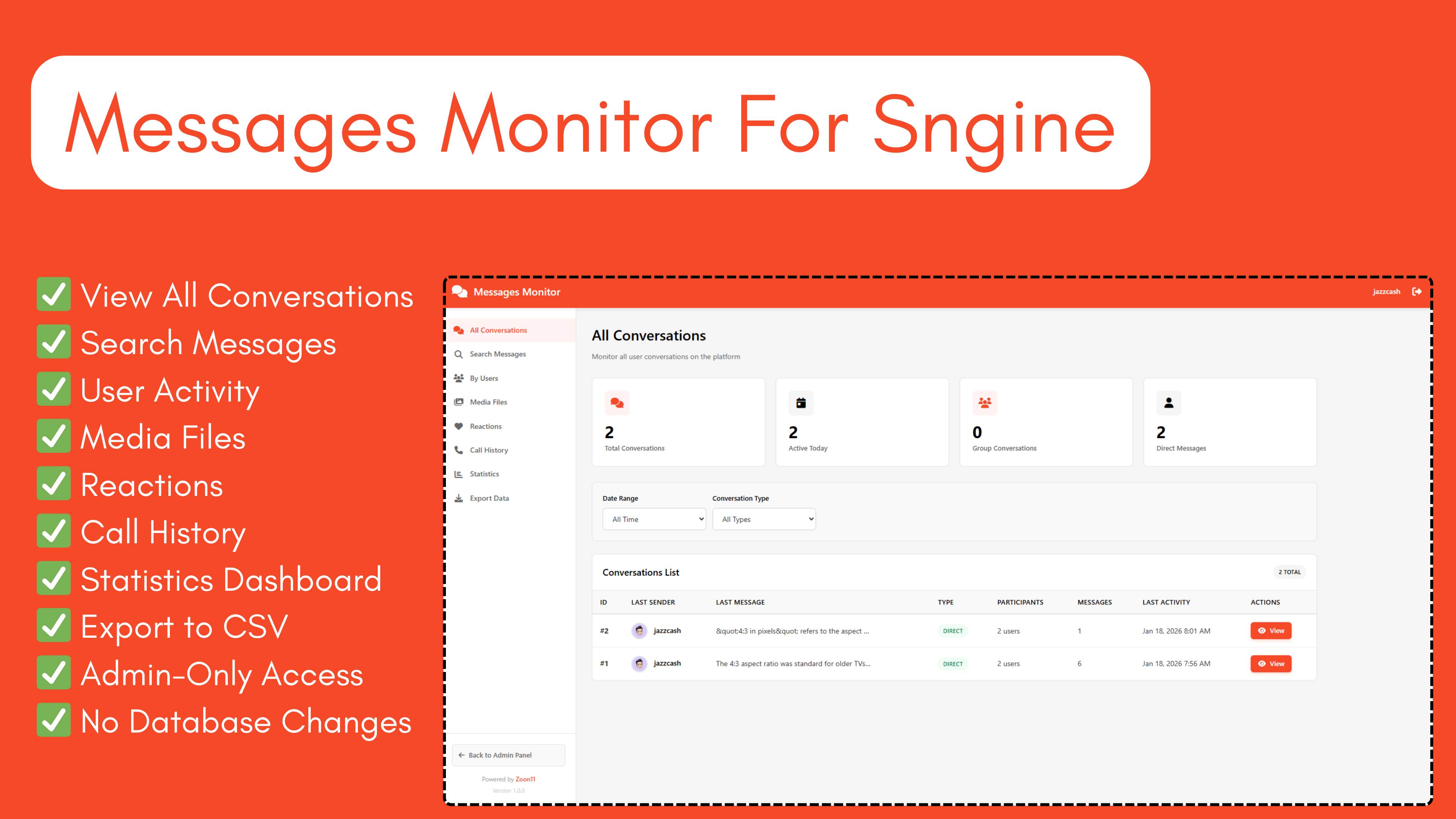
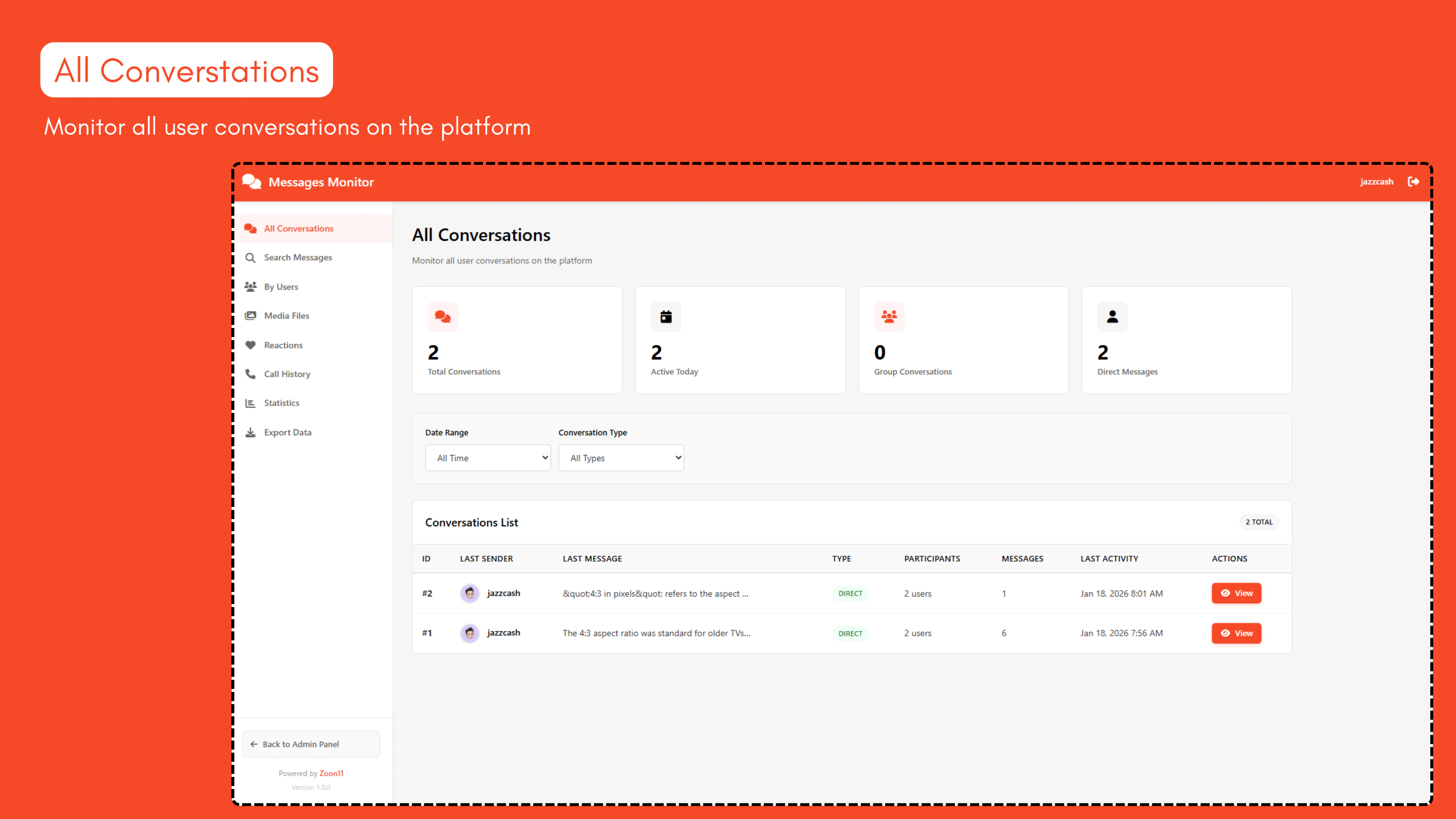
- ✅ View All Conversations - Monitor all user conversations with filtering options
- ✅ Search Messages - Search through all messages by keyword, user, or date range
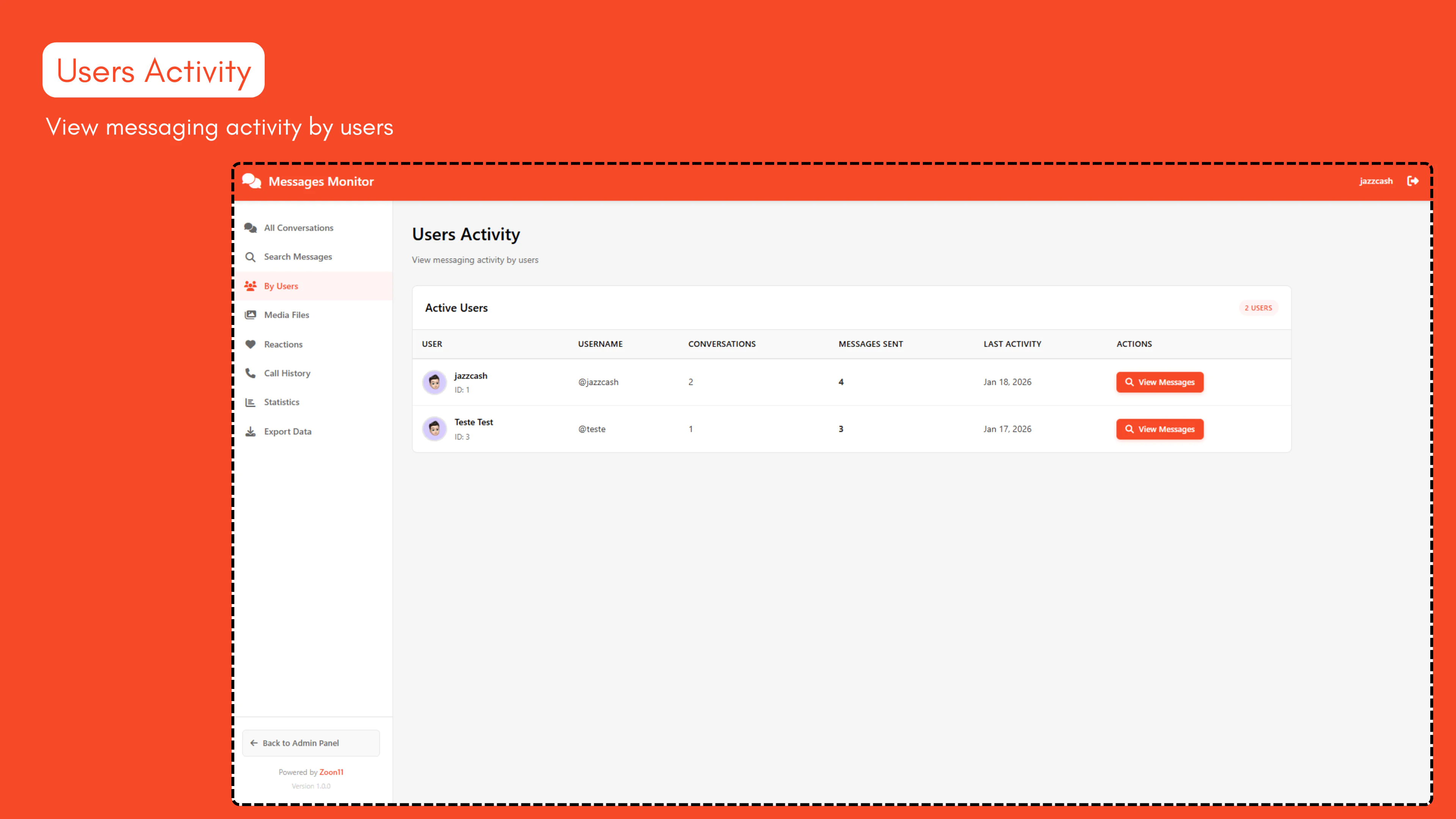
- ✅ User Activity - View messaging statistics for all users
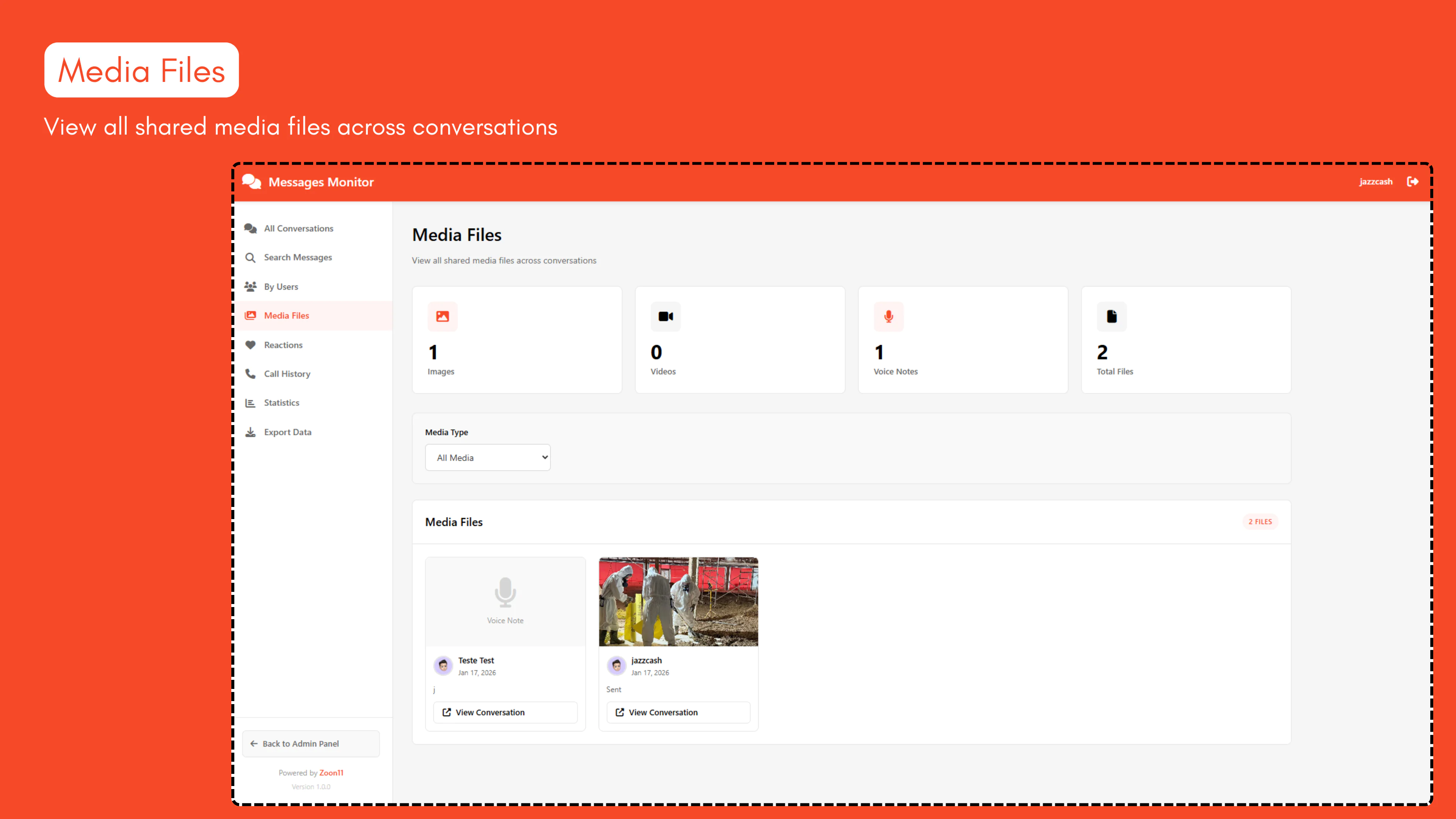
- ✅ Media Files - Browse all shared images, videos, and voice notes
- ✅ Reactions - Monitor all message reactions across the platform
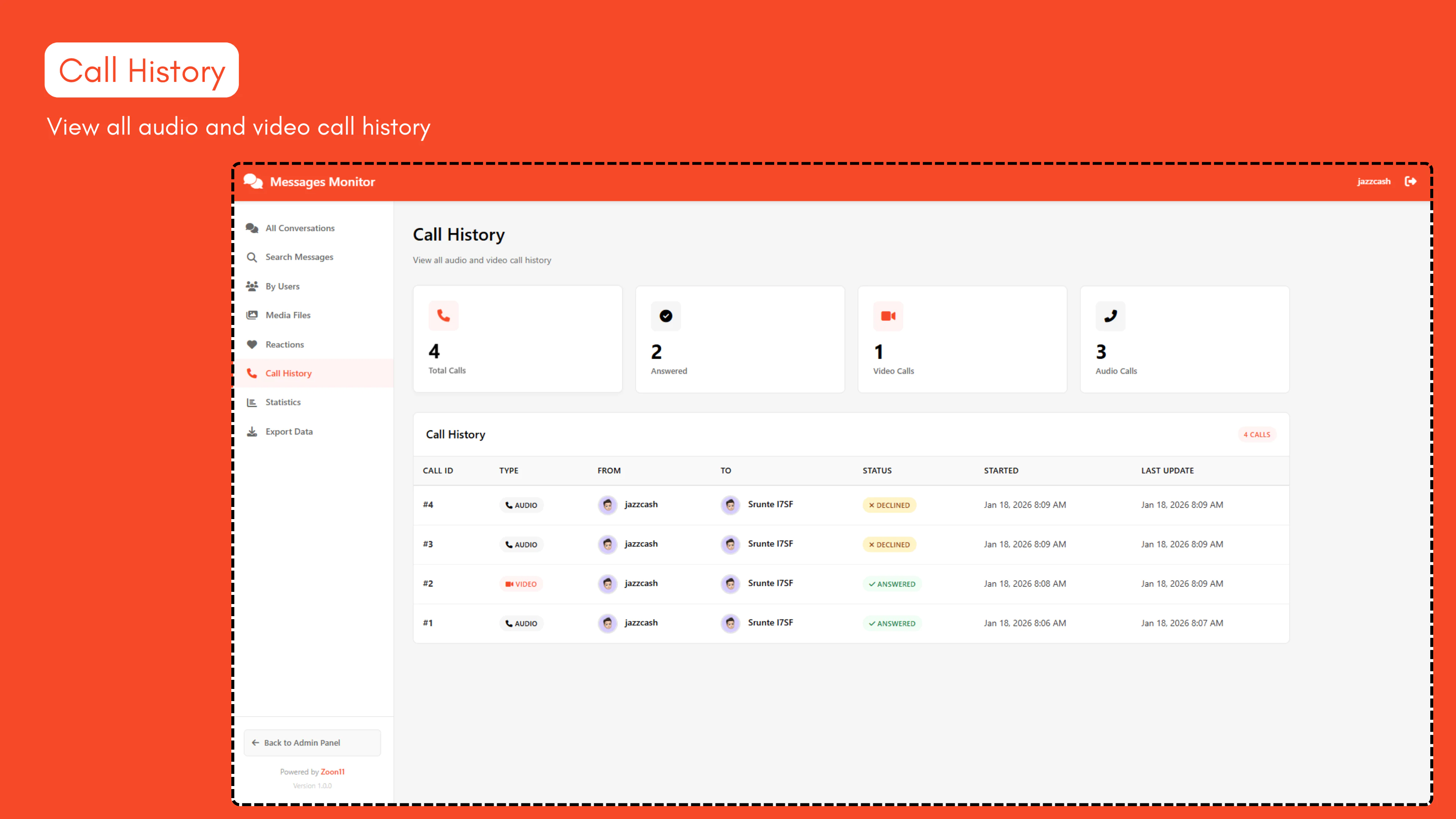
- ✅ Call History - View audio and video call logs
- ✅ Statistics Dashboard - Comprehensive analytics and insights
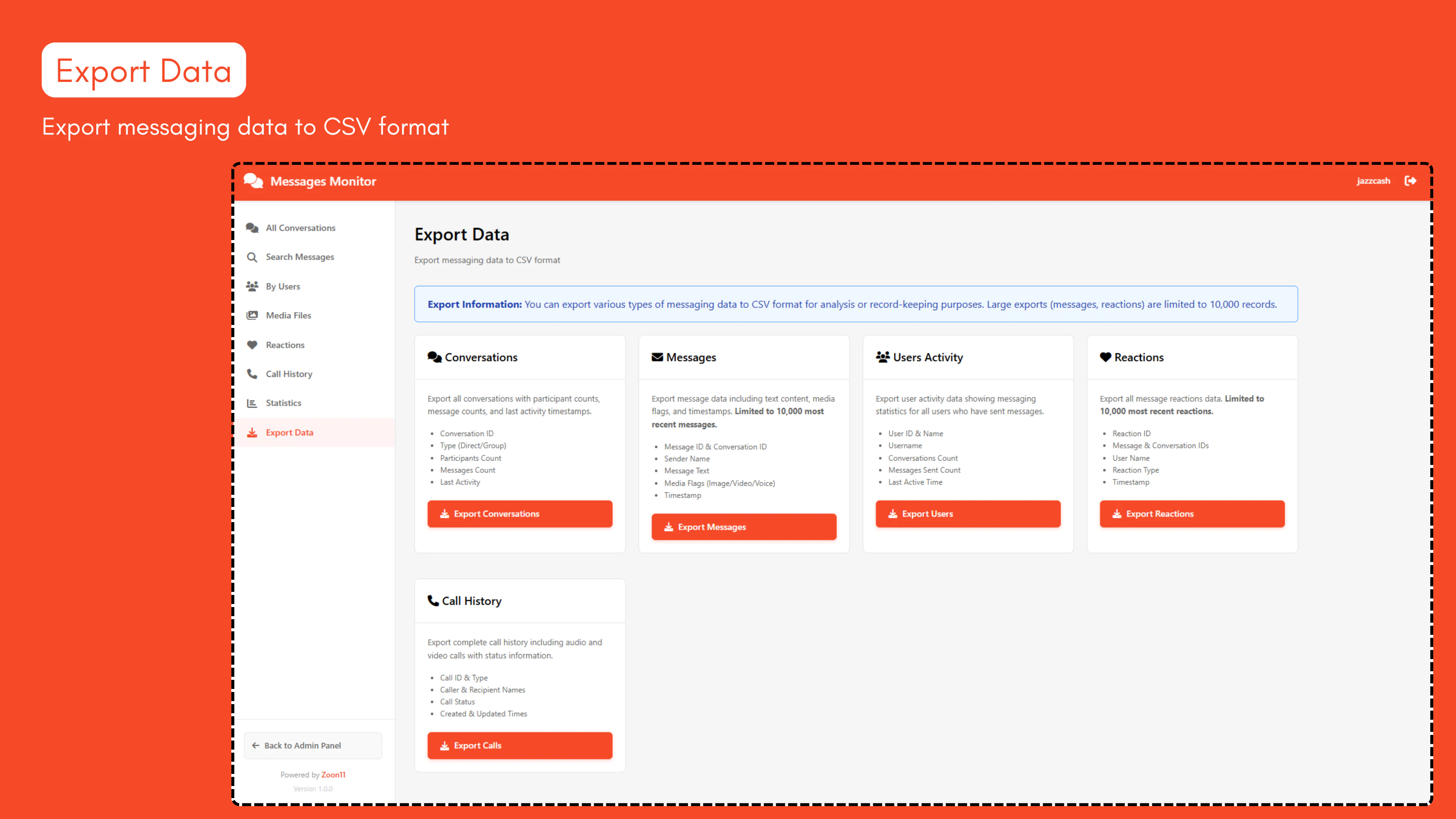
- ✅ Export to CSV - Export data for reporting and analysis
- ✅ Responsive Design - Works perfectly on desktop, tablet, and mobile
- ✅ Professional UI - Modern, clean interface
- ✅ Admin-Only Access - Secure access restricted to administrators
- ✅ No Database Changes - Read-only access, zero database modifications
Features Breakdown
1. All Conversations View
- View all platform conversations in one place
- See participant count and message count
- Filter by date range and conversation type
- Quick access to view individual conversations
- Pagination for easy navigation
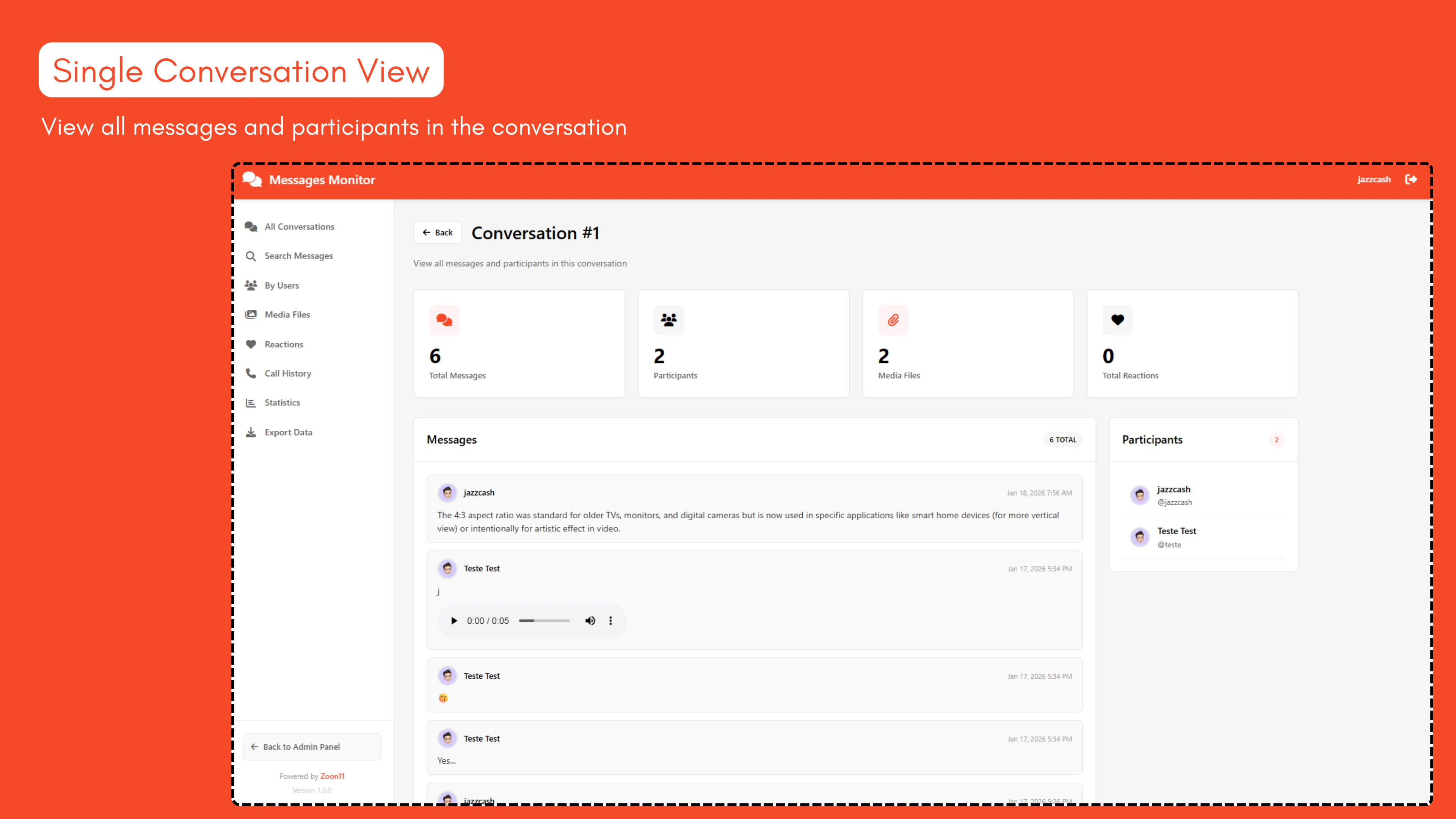
2. Single Conversation View
- View all messages in a conversation
- See all participants with their status
- Display text, images, videos, and voice notes
- View message reactions
- Statistics for that specific conversation
3. Search Messages
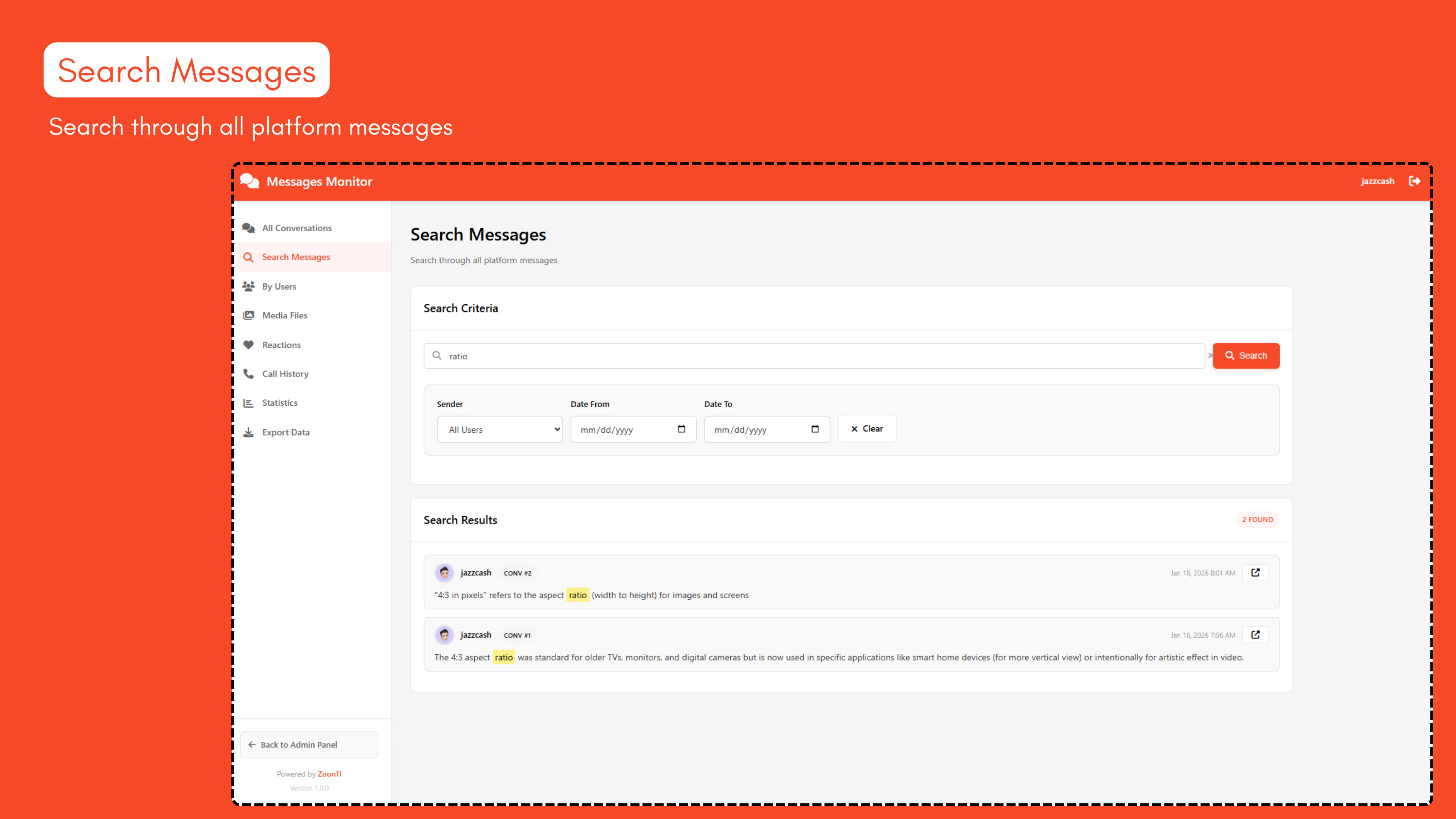
- Powerful keyword search across all messages
- Filter by specific user
- Date range filtering
- Highlighted search terms in results
- Quick link to view full conversation
4. Users Activity
- List of all users who have sent messages
- Conversation and message counts per user
- Last activity timestamps
- Quick search to view user's messages
5. Media Files
- Visual grid of all shared media
- Filter by type (Images/Videos/Voice Notes)
- See sender and timestamp
- Quick access to source conversation
6. Reactions
- View all message reactions
- See who reacted with what emoji
- Breakdown by reaction type
- Link to original message
7. Call History
- Complete log of all calls (audio and video)
- Call status (Answered/Declined/Missed)
- Caller and recipient information
- Timestamps for all calls
8. Statistics Dashboard
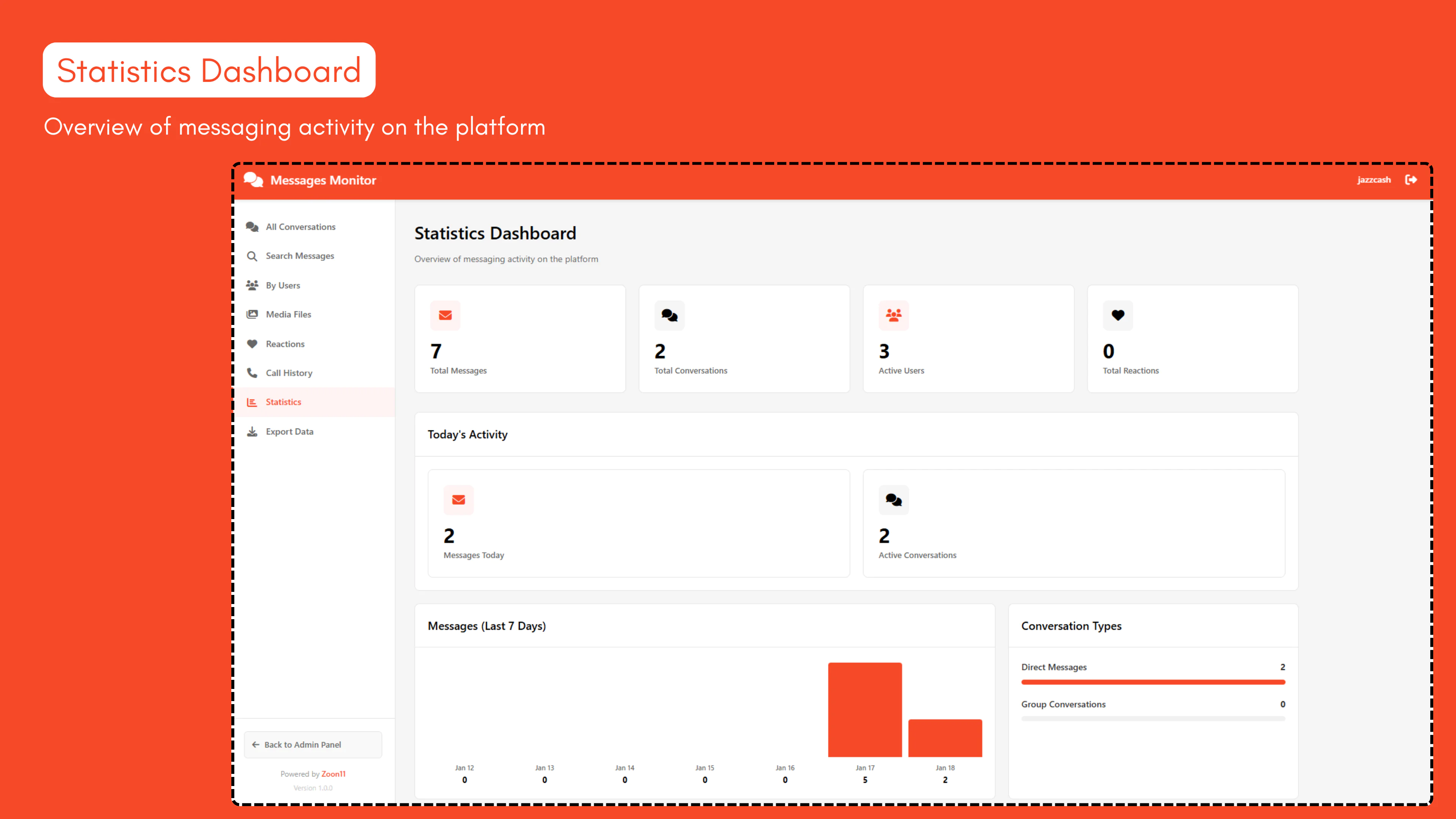
- Total messages, conversations, users counts
- Today's activity metrics
- 7-day message trend chart
- Conversation type breakdown
- Top 10 most active users
- Media and reaction statistics
9. Export System
- Export data for external analysis
- CSV format compatible with Excel
- Large dataset protection (10K record limits)
Installation (Installation guide also available in the plugin folder along with a video)
Step 1: Upload Plugin
- Download or extract the messages-monitor folder
- Upload it to your platform's plugins/ directory (Create new)
- Final path should be: plugins/messages-monitor/
Step 2: Run Installation
- Open your browser and navigate to:https://yoursite.com/plugins/messages-monitor/install.php
- Read the installation information
- Check the confirmation box
- Click "Install Plugin" button
- Installation complete!
Step 3: Access the Plugin
- Click "Access Plugin" button, or navigate to:https://yoursite.com/plugins/messages-monitor/
- You must be logged in as an administrator to access the plugin
System Requirements
- PHP 7.0 or higher
- MySQL 5.6 or higher
- Sngine messaging system must be enabled
- Administrator account required for access
Security
- Admin-Only Access: Only administrators can access the plugin
- Session Validation: Requires active admin login session
- Read-Only: No write operations to database, completely safe
- SQL Injection Protection: All queries use secure parameterization
- XSS Protection: All output is properly sanitized
Usage Guide:Dashboard Navigation
Sidebar Menu:
- All Conversations - View and filter all conversations
- Search Messages - Search by keywords and filters
- By Users - View user activity statistics
- Media Files - Browse shared media
- Reactions - Monitor message reactions
- Call History - View call logs
- Statistics - Analytics dashboard
- Export Data - Export to CSV
Filtering & Search
Conversation Filters:
- Filter by date (Today, This Week, This Month, All Time)
- Filter by type (Direct Messages, Group Conversations)
Message Search:
- Search by keyword in message content
- Filter by specific user/sender
- Filter by date range (from/to dates)
Media Filter:
- View all media types or filter by Images/Videos/Voice Notes
Exporting Data
The plugin supports exporting the following data to CSV format:
Conversations Export
- Conversation ID, Type, Participants, Messages Count, Last Activity
Messages Export (Limited to 10,000 most recent)
- Message ID, Sender, Content, Media Flags, Timestamps
Users Activity Export
- User details, Conversation count, Messages sent, Last active
Reactions Export (Limited to 10,000 most recent)
- Reaction type, User, Message details, Timestamps
Call History Export
- Call type, Participants, Status, Timestamps
To Export:
- Go to "Export Data" from sidebar
- Choose the export type
- Click the export button
- File will download automatically in CSV format
Technical Details:File Structure
plugins/messages-monitor/
├── install.php # Installation interface
├── index.php # Main controller
├── README.md
├── assets/
│ ├── css/
│ │ └── style.css # Stylesheet
│ └── js/
│ └── script.js # JavaScript
└── views/
├── conversations.php # Conversations list
├── conversation.php # Single conversation
├── search.php # Search interface
├── users.php # Users activity
├── media.php # Media files
├── reactions.php # Reactions view
├── calls.php # Call history
├── statistics.php # Statistics dashboard
└── export.php # Export functionality
Database Tables Used (Read-Only)
- conversations - Conversation metadata
- conversations_messages - All messages
- conversations_users - Conversation participants
- conversations_messages_reactions - Message reactions
- conversations_calls - Call history
- users - User information
Note: Plugin only READS from these tables, never writes or modifies.
Troubleshooting
Issue: "Plugin not installed" error
Solution: Run the installation by visiting /plugins/messages-monitor/install.php
Issue: "Permission denied" error
Solution: Make sure you're logged in as an administrator
Issue: Blank page or errors
Solution:
- Check PHP error logs
- Ensure plugins/messages-monitor/ folder has proper permissions
- Verify PHP version is 7.0 or higher
Issue: Export not working
Solution:
- Check server PHP memory limit
- Try exporting smaller date ranges
- Ensure write permissions for temp directory
Uninstallation
To remove the plugin:
- Visit https://yoursite.com/plugins/messages-monitor/install.php
- Click "Uninstall" button
- Delete the plugins/messages-monitor/ folder from your server
Note: Uninstalling only removes the plugin files. No user data is deleted.
Update Safe
This plugin is designed to survive Sngine updates:
- ✅ All plugin files are in plugins/ folder
- ✅ No core Sngine files are modified
- ✅ No database structure changes
- ✅ Sngine updates won't delete plugin files
After Sngine updates, the plugin should continue working without any changes needed.
Support
For support, feature requests, or bug reports:
Changelog
Version 1.0.0 (January 17, 2026)
- Initial release
- All features implemented
License & Copyright
Copyright © 2026 Zoon11.com - All rights reserved
Thank you for using Messages Monitor Plugin by Zoon11!