🛠️ Issue: “Notifications and PWA”
Before anything you need to know that Sngine supports 2 kind of notifications 1- Browser Notifications

Before anything you need to know that Sngine supports 2 kind of notifications
- Browser Notifications.
- OneSignal Push Notifications (via Service Workers)
1- Browser Notifications
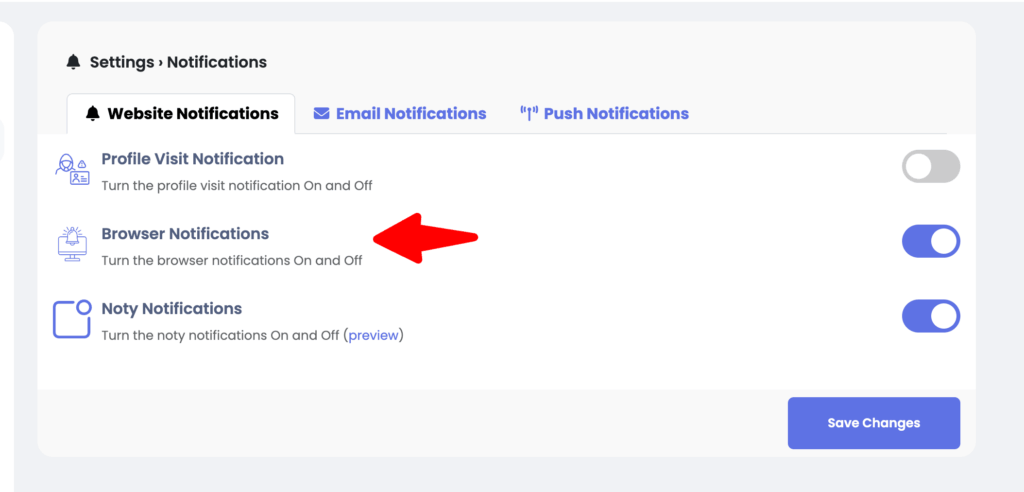
✅ Works only if:
- The browser page is open and active (or at least the browser is running).
- Notification permissions have been granted.
this will not work when the browser is closed because it lacks a Service Worker and Push API subscription, which are required for true background push support.
2- OneSignal Push Notifications (via Service Workers)
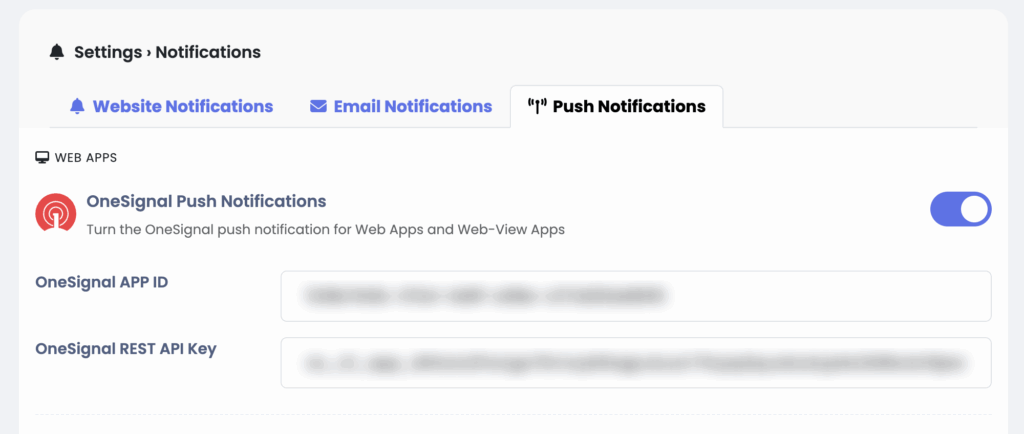
Yes, push notifications can be received even when the browser is completely closed, as long as:
- The browser must not be uninstalled or blocked by the OS.
- The PWA is installed or the user previously allowed notifications via Service Worker.
- The OS itself permits background push (modern desktop and Android browsers do).
⚠️ Limitations:
- iOS (Safari) support is limited: On Safari, push notifications work only for installed PWAs (iOS 16.4+).
- On desktop browsers, notifications show even if browser UI is closed, because the Service Worker runs in the background.
That’s it.
Happy Sngine 🙂
Buy Sngine or Extend your support: https://bit.ly/BuySngine