How to setup SendGrid?
SendGrid is a cloud-based email delivery service that helps businesses of all sizes send and track

SendGrid is a cloud-based email delivery service that helps businesses of all sizes send and track email campaigns. With SendGrid, you can create and send beautiful emails, track their performance, and improve your deliverability rates.
SendGrid offers a wide range of features, including email templates, email tracking, and email deliverability. It is also scalable, secure, and supported 24/7.
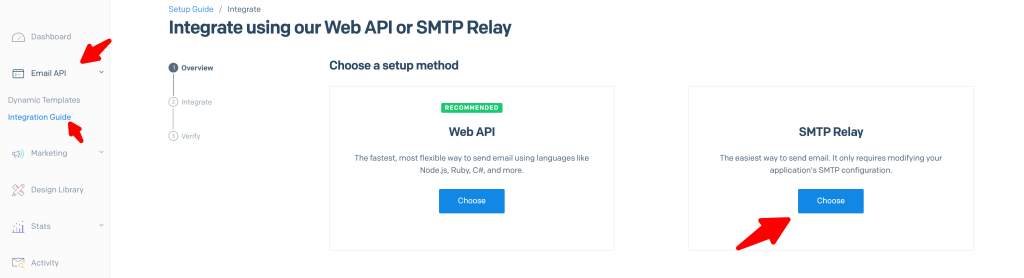
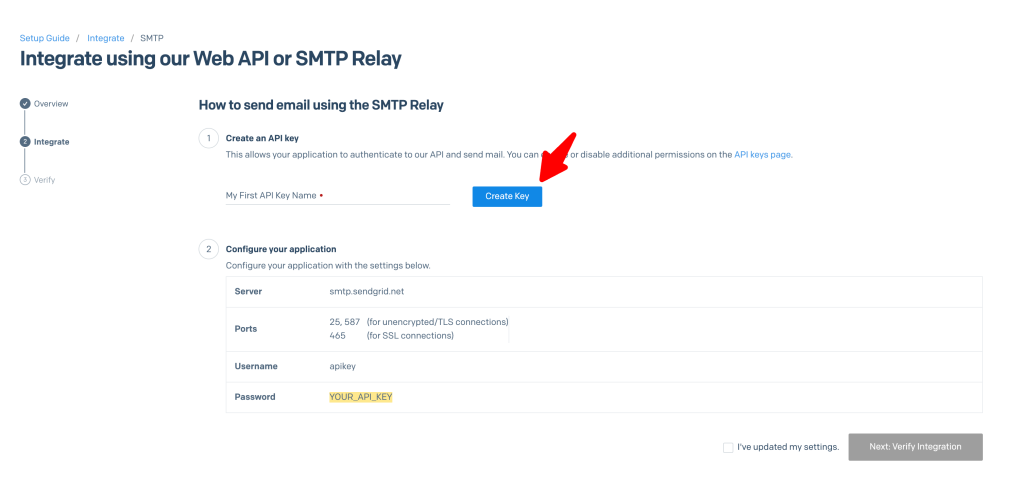
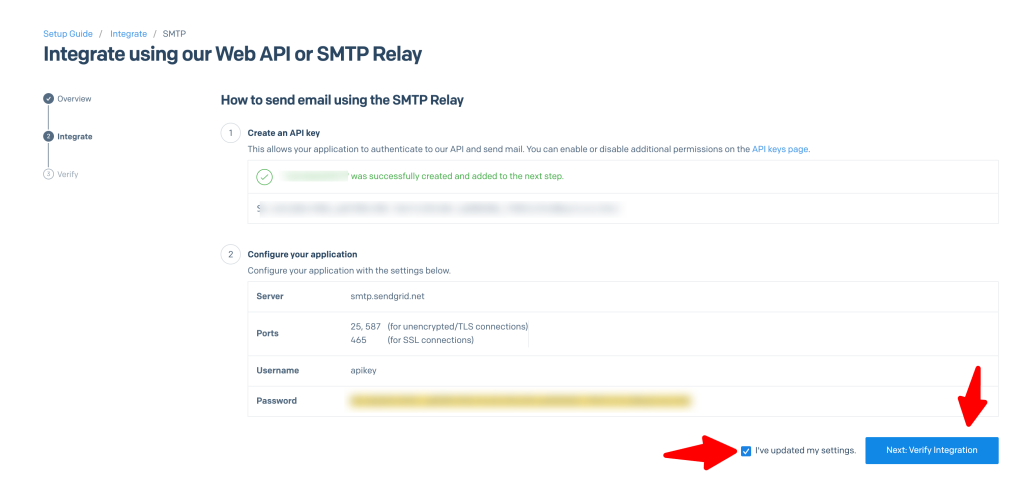
Here is the steps you need to setup your SendGrid account:
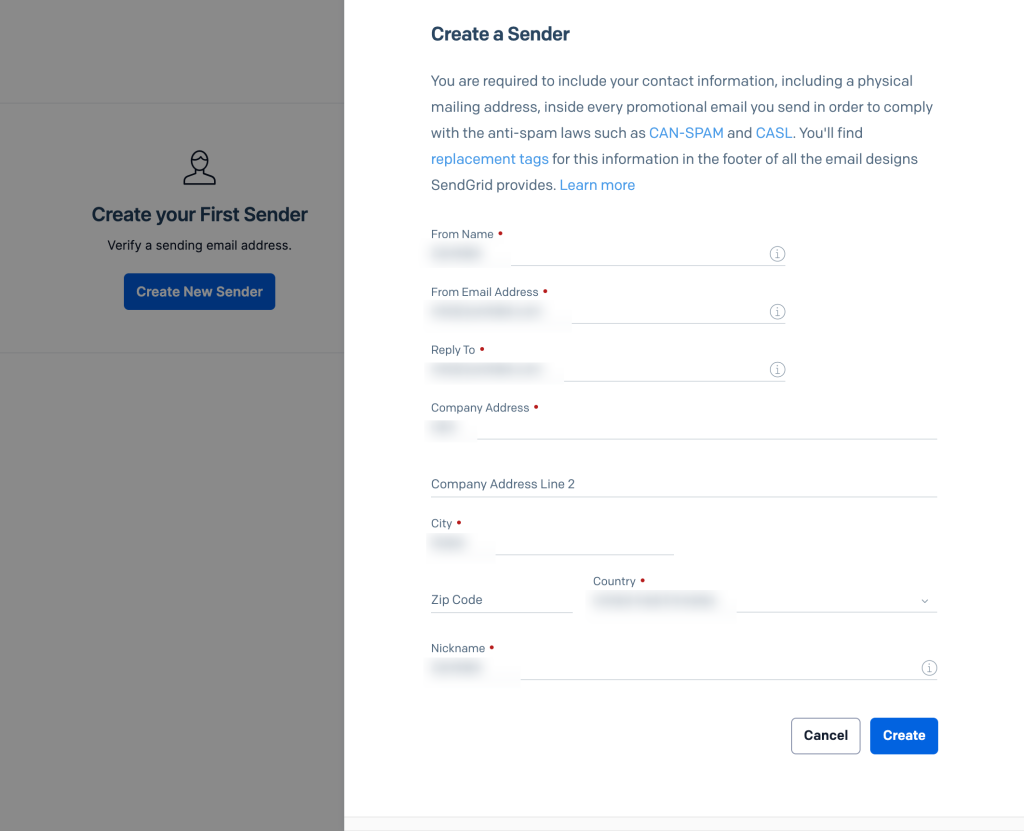
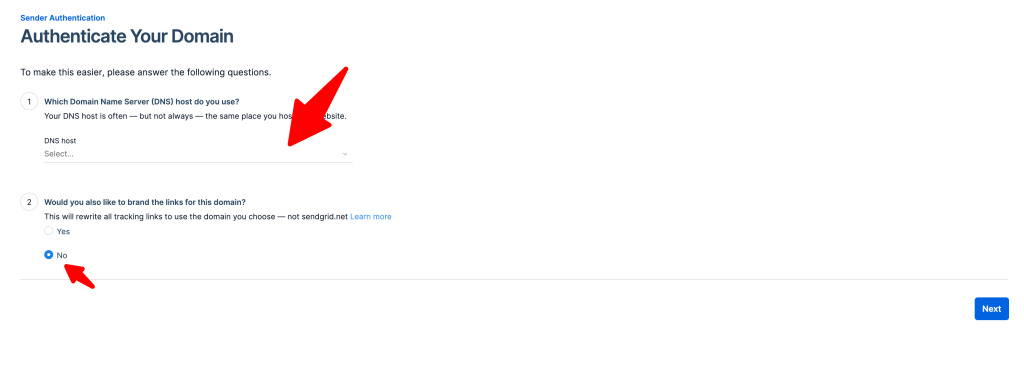
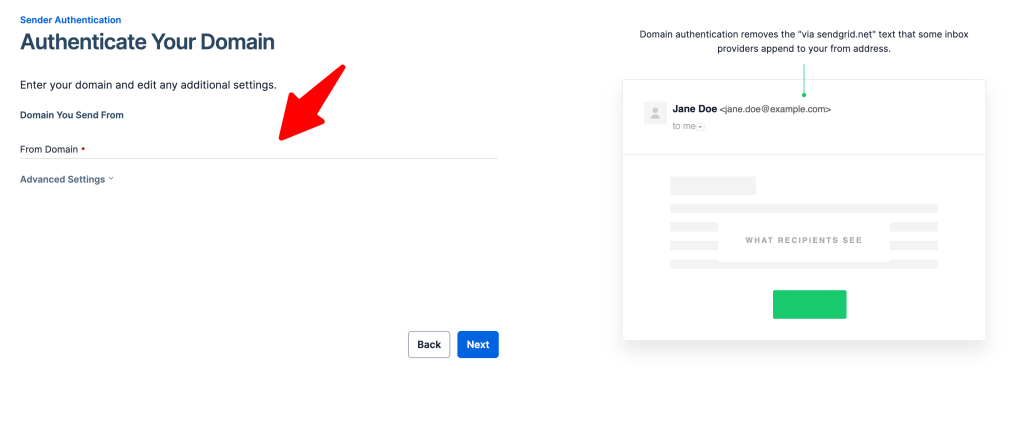
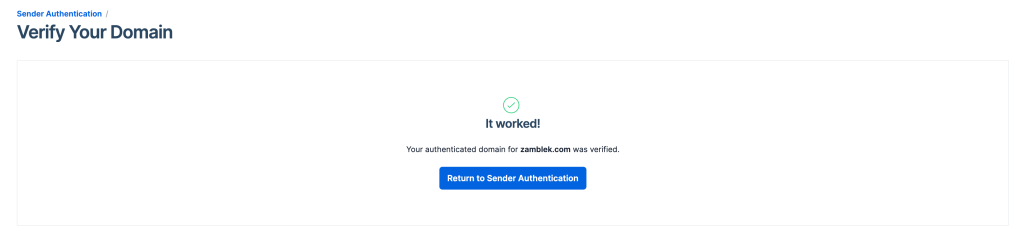
That’s it.
Happy Sngine 🙂
Buy Sngine or Extend your support: https://bit.ly/BuySngine
Related posts
Getting Started, Tips and Tutorials
How Sngine Helps Combat Spam
 Zamblek
3 min read
Zamblek
3 min read
Getting Started, Tips and Tutorials
How To Set CORS Policy For Google Cloud Bucket?
Zamblek
1 min read
Getting Started, Tips and Tutorials
New Google Playstore’s 12 Testers Policy for Production Release
Zamblek
1 min read