How to run Sngine on HTTPS?
You have installed Sngine on your server and want to convert to HTTPS after you installed

You have installed Sngine on your server and want to convert to HTTPS after you installed your SSL certificate.
This is very simple and you can do it easily from the “includes/config.php” file, you can edit it online from a file manager or you can use FTP client.
Just change the “SYS_URL” to https like that
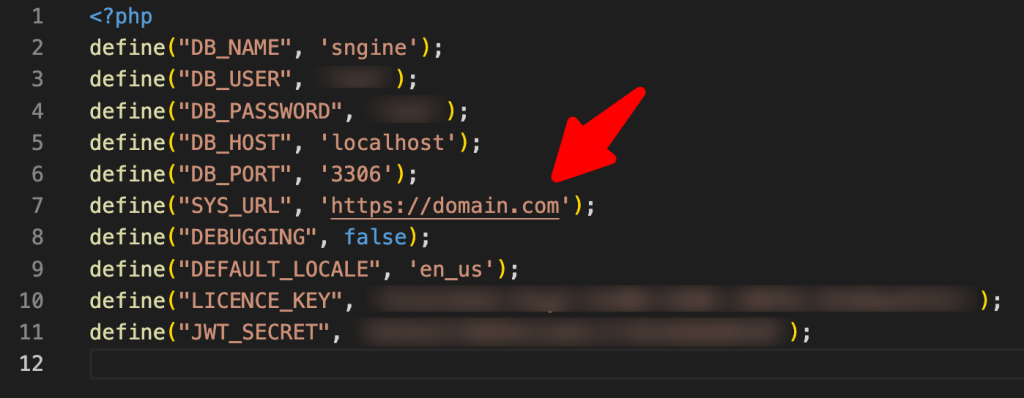
So all what you will add is “s” after http.
Then you need to
- Empty this folder “content/themes/default/templates_compiled“
- Remove any browser cache and cookies
If you have any questions that are beyond the scope of this tutorial, please feel free to create a support ticket on our support system. Thanks so much!
That’s it.
Happy Sngine 🙂
Buy Sngine or Extend your support: https://bit.ly/BuySngine
Related posts
Getting Started, Tips and Tutorials
How Sngine Helps Combat Spam
 Zamblek
3 min read
Getting Started, Tips and Tutorials
How To Set CORS Policy For Google Cloud Bucket?
Zamblek
1 min read
Getting Started, Tips and Tutorials
New Google Playstore’s 12 Testers Policy for Production Release
Zamblek
1 min read