How to edit the Landing Page in Sngine?
Simply if you want to edit the landing page of Sngine You can simply change anything

Simply if you want to edit the landing page of Sngine

You can simply change anything related to the index page from this template (HTML) file
content/themes/default/templates/index.landing.tpl
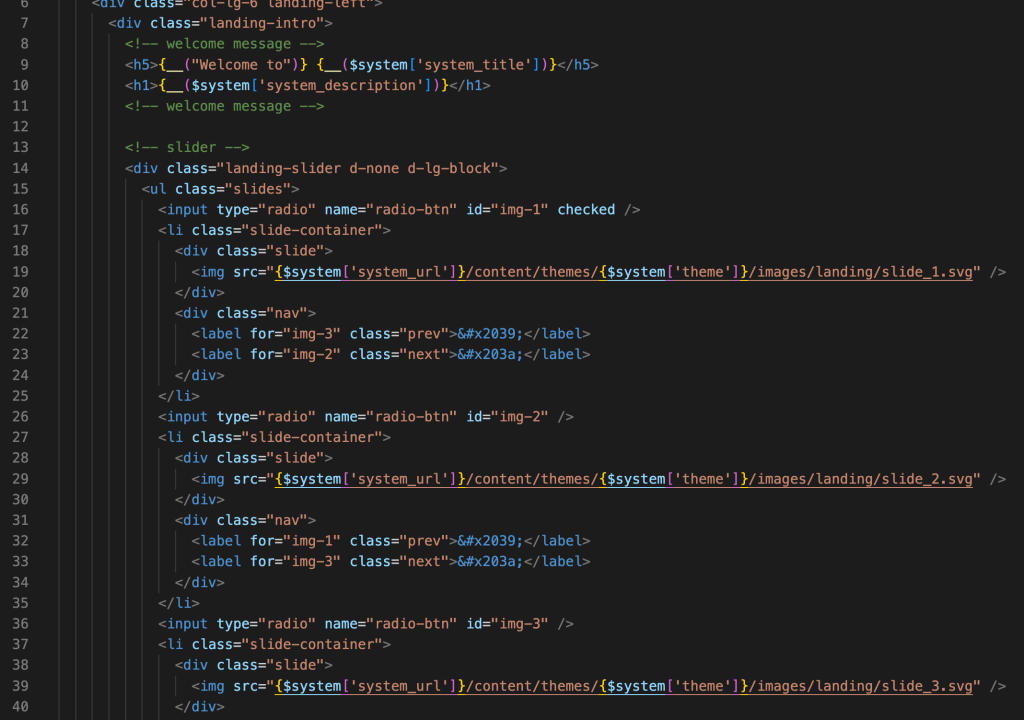
And the images you can find here:
content/themes/default/images/landing/
That’s it.
Happy Sngine 🙂
Buy Sngine or Extend your support: https://bit.ly/BuySngine
Ähnliche Beiträge
Erste Schritte, Tipps und Tutorials
How Sngine Helps Combat Spam
 Zamblek
3 Min. Lesezeit
Erste Schritte, Tipps und Tutorials
How To Set CORS Policy For Google Cloud Bucket?
Zamblek
1 Min. Lesezeit
Erste Schritte, Tipps und Tutorials
New Google Playstore’s 12 Testers Policy for Production Release
Zamblek
1 Min. Lesezeit